


TL;DR
The best Jina Reader alternative depends on the job. Use ScrapeGraphAI when you need structured JSON plus clean Markdown, Firecrawl when you need full-site crawling, Diffbot for automatic entity extraction, and Crawl4AI when you want an open-source crawler you host yourself.
If your current Jina workflow is just
URL -> Markdown, several tools can replace it. If you need typed fields, schema validation, or AI-agent integration, pick a tool that goes beyond Markdown.
Overall Pick: ScrapeGraphAI
AI-powered structured extraction plus scrape with markdown format for LLM-ready content. Works on any website without selectors or training. Plans start at $20/month with a free tier.
Full-Site Crawling Pick: Firecrawl
Recursively crawl entire websites and get clean Markdown from every page. Purpose-built for RAG pipelines and LLM ingestion. Free tier available, paid plans from $16/month.
Knowledge Graph Pick: Diffbot
Enterprise-grade AI extraction that auto-classifies pages into structured knowledge graph entities. No prompts needed: it understands product pages, articles, and people profiles natively.
Jina Reader (r.jina.ai) is a neat trick: prepend any URL and get back clean Markdown. For quick, single-page LLM content ingestion it works well. But it has real limits:
- No structured extraction: you get raw Markdown, not typed JSON fields
- No full-site crawling: single pages only, no link following
- No schema validation: no Pydantic models, no type safety
- Rate limits on free tier: heavy usage requires paid plans with opaque pricing
- No AI agent integrations: not a native tool for LangChain or LangGraph
If you've outgrown Jina Reader, this guide covers the 7 best alternatives for 2026.
What is Jina Reader?
Jina Reader is part of the Jina AI platform, launched as a simple API for converting web pages into clean, LLM-friendly Markdown. The usage pattern is dead simple: prefix any URL with r.jina.ai/ and you get back the page's main content as clean text, stripped of navigation, ads, and HTML noise.
import requests

# That's literally all it takes
response = requests.get(
    "https://r.jina.ai/https://example.com/article",
    headers={"Authorization": "Bearer jina_xxxxx"}
)
print(response.text)  # Clean Markdown
This simplicity is why Jina Reader became popular. But "page → Markdown" is the ceiling of what it does. For teams that need structured data, crawl multiple pages, validate output, or integrate with AI agent frameworks, it falls short.
What Are the Best Jina Reader Alternatives?
We evaluated alternatives across five dimensions: output quality, structured extraction, AI integration, pricing, and reliability at scale.
1. ScrapeGraphAI
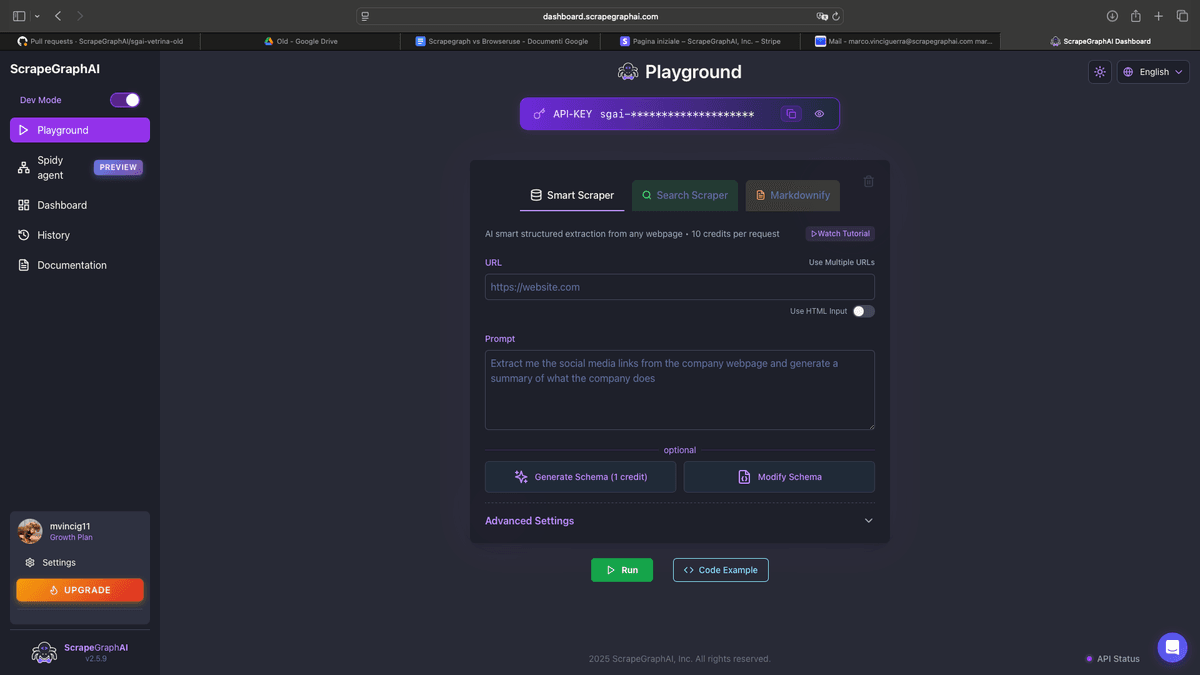
ScrapeGraphAI is the strongest all-around alternative to Jina Reader. Where Jina converts pages to Markdown, ScrapeGraphAI extracts specific, typed data fields using natural language prompts: and also supports scrape with markdown format for LLM-ready content when that's what you need.
The key difference: ScrapeGraphAI uses an LLM to understand what you're asking for and returns validated, schema-compliant JSON. You're not just getting raw Markdown and hoping the LLM downstream figures out the structure.
Key Benefits
- Extract: extract structured JSON from any URL using a natural language prompt
scrapewithmarkdownformat: clean Markdown output just like Jina Reader, but with better noise removal- Pydantic schema validation: define exact output types, guaranteed structure
- Auto-adapts to website changes: semantic extraction survives redesigns
- LangChain & LangGraph native tools: first-class AI agent integration
- Python and JavaScript SDKs
ScrapeGraphAI Example
Replacing Jina Reader: get clean Markdown:
from scrapegraph_py import ScrapeGraphAI, MarkdownFormatConfig

sgai = ScrapeGraphAI()  # uses SGAI_API_KEY env var

# Drop-in Jina Reader replacement
response = sgai.scrape(
    "https://example.com/article",
    formats=[MarkdownFormatConfig(mode="reader")],
)

if response.status == "success":
    markdown_chunks = response.data.results["markdown"]["data"]
    print("\n".join(markdown_chunks))  # Clean Markdown, same as Jina Reader
Going beyond Jina: extract structured data:
from pydantic import BaseModel, Field
from typing import List, Optional
from scrapegraph_py import ScrapeGraphAI

class Article(BaseModel):
    title: str
    author: Optional[str]
    published_date: Optional[str]
    summary: str = Field(description="2-3 sentence summary of the article")
    key_points: List[str] = Field(description="Main takeaways as bullet points")
    tags: List[str] = Field(description="Topic tags")

sgai = ScrapeGraphAI()  # uses SGAI_API_KEY env var

response = sgai.extract(
    "Extract the article metadata and summarize the key points",
    url="https://example.com/article",
    schema=Article.model_json_schema(),
)

if response.status == "success":
    article = response.data.json_data
    print(f"Title: {article['title']}")
    print(f"Author: {article['author']}")
    print("Key points:")
    for point in article['key_points']:
print(f" - {point}")Using as a LangChain tool inside an AI agent:
from langchain.agents import initialize_agent, AgentType
from langchain.tools import Tool
from langchain_anthropic import ChatAnthropic
from scrapegraph_py import ScrapeGraphAI

sgai = ScrapeGraphAI()  # uses SGAI_API_KEY env var

def extract_tool(input: str) -> str:
    # input format: "<url>|<prompt>"
    url, _, prompt = input.partition("|")
    response = sgai.extract(prompt or "Extract main topic and author", url=url)
    return str(response.data.json_data)

tools = [Tool(name="ScrapeGraphAI Extract", func=extract_tool, description="Scrape a URL with a prompt. Input: '<url>|<prompt>'")]

llm = ChatAnthropic(model="claude-opus-4-6")
agent = initialize_agent(tools, llm, agent=AgentType.ZERO_SHOT_REACT_DESCRIPTION)
result = agent.run("Read https://example.com and extract the main topic and author")
Pricing
| Tier | Cost | Credits |
|---|---|---|
| Free | $0 | 500 (one-time) |
| Starter | $20/month | 10,000 |
| Growth | $100/month | 100,000 |
| Pro | $500/month | 750,000 |
| Enterprise | Custom | Custom |
Pros & Cons
Pros:
- Both structured JSON extraction and clean Markdown in one tool
- AI adapts to website changes: zero maintenance
- Native LangChain/LangGraph tool integration
- Pydantic schema validation for type-safe output
- Best developer experience of any tool in this list Cons:
- Requires basic coding knowledge
- No full-site recursive crawler (like Firecrawl's crawl API)
Rating
9.5/10: Best overall Jina Reader alternative, especially if you need more than just Markdown.
2. Firecrawl
Firecrawl is the closest direct replacement for Jina Reader and then some. Its core operation is the same: URL in, clean Markdown out: but it adds full recursive website crawling, sitemap support, and structured extraction on top.
For building RAG systems, documentation ingestion pipelines, or AI knowledge bases that need entire websites converted to clean text, Firecrawl is purpose-built for the job. Its credit-based pricing is worth reading before you size a workload.
Key Benefits
- Scrape API: single page to clean Markdown (direct Jina Reader replacement)
- Crawl API: recursively crawl an entire site, return all pages as Markdown
- Map API: get all URLs on a website
- Extract API: LLM-powered structured extraction with schema support
- Webhooks: receive data in real-time as crawling progresses
- Handles JavaScript-rendered pages automatically
Firecrawl Example
Drop-in replacement for Jina Reader:
from firecrawl import FirecrawlApp

app = FirecrawlApp(api_key="your-api-key")

# Same as r.jina.ai/URL but with better noise removal
result = app.scrape_url(
    url="https://example.com/article",
    params={"formats": ["markdown"]}
)
print(result['markdown'])
Full-site crawl for RAG pipelines:
from firecrawl import FirecrawlApp
from llama_index.core import VectorStoreIndex, Document

app = FirecrawlApp(api_key="your-api-key")

crawl = app.crawl_url(
    url="https://docs.example.com",
    params={"limit": 200, "scrapeOptions": {"formats": ["markdown"]}}
)

documents = [
    Document(text=page["markdown"], metadata={"url": page["metadata"]["url"]})
    for page in crawl["data"]
]
index = VectorStoreIndex.from_documents(documents)
Pricing
| Tier | Cost | Pages/month |
|---|---|---|
| Free | $0 | 500 |
| Hobby | $16/month | 3,000 |
| Standard | $83/month | 100,000 |
| Growth | $333/month | 500,000 |
Pros & Cons
Pros:
- Best full-site crawler: ideal for documentation ingestion
- Excellent clean Markdown quality for LLM consumption
- Webhook support for async large crawls
- Affordable Hobby tier Cons:
- Structured JSON extraction less powerful than ScrapeGraphAI
- Priced per page: large sites get expensive
- Less suited for extracting precise typed fields
Rating
8.5/10: Best Jina Reader replacement if you need full-site crawling for RAG.
3. Diffbot
Diffbot takes a different approach to the problem. Rather than returning Markdown, it auto-classifies every web page into structured entity types: articles, products, people, discussions, events: and returns machine-readable JSON. No prompts required. The AI understands what kind of page it's looking at.
For teams building knowledge graphs, training datasets, or news/content monitoring systems, Diffbot's automatic classification is a significant advantage over Jina's raw Markdown approach.
Key Benefits
- Automatic page classification into product, article, person, discussion, etc.
- Knowledge Graph API: query structured web knowledge across billions of pages
- Article API: extract article title, author, date, full body, tags automatically
- Product API: extract price, availability, reviews, specs with no configuration
- Natural Language Processing for entity extraction and sentiment
- Crawl entire websites and auto-extract everything
Diffbot Example
import requests

def extract_article(url: str, api_key: str) -> dict:
    """Auto-extract article data: no selectors or prompts needed."""
    response = requests.get(
        "https://api.diffbot.com/v3/article",
        params={"url": url, "token": api_key}
    )
    response.raise_for_status()
    article = response.json()["objects"][0]
    return {
        "title": article.get("title"),
        "author": article.get("author"),
        "date": article.get("date"),
        "text": article.get("text"),
        "tags": article.get("tags", []),
        "sentiment": article.get("sentiment"),
    }

result = extract_article("https://techcrunch.com/article-url", "your-diffbot-token")
print(f"Title: {result['title']}, Author: {result['author']}")
Pricing
- Free: 10,000 API calls/month (no credit card required)
- Plus: $299/month
- Professional: $999/month
- Enterprise: Custom
Pros & Cons
Pros:
- No prompts or configuration: AI automatically classifies pages
- Exceptional for articles, products, and people pages
- Knowledge Graph API for querying pre-extracted web data
- Generous free tier (10,000 calls/month) Cons:
- Expensive for custom use cases beyond the pre-built extractors
- Less flexible for unusual page types
- Overkill for simple Markdown conversion needs
Rating
8/10: Best for enterprise teams building knowledge systems or monitoring news at scale.
4. Crawl4AI
Crawl4AI is an open-source, LLM-optimized web crawler specifically designed for RAG pipeline content collection. It's the best free, self-hosted alternative to Jina Reader, with deep integration for LLM content chunking strategies.
Unlike hosted APIs, Crawl4AI runs locally or in your own infrastructure: ideal for teams with privacy requirements or high-volume needs where per-page API costs become prohibitive.
Key Benefits
- Completely free and open-source: no API costs
- LLM-aware chunking: splits content intelligently for context windows
- Markdown generation with configurable noise removal
- Async-first architecture: high-throughput concurrent crawling
- Content filtering: remove boilerplate, keep only relevant text
Crawl4AI Example
import asyncio
from crawl4ai import AsyncWebCrawler
from crawl4ai.extraction_strategy import LLMExtractionStrategy

async def extract_with_crawl4ai(url: str):
    async with AsyncWebCrawler() as crawler:
        # Simple Markdown extraction: Jina Reader equivalent
        result = await crawler.arun(url=url)
        print(result.markdown[:1000])

        # LLM-based structured extraction
        strategy = LLMExtractionStrategy(
            provider="openai/gpt-4o-mini",
            api_token="your-openai-key",
            schema={
                "type": "object",
                "properties": {
                    "title": {"type": "string"},
                    "main_points": {"type": "array", "items": {"type": "string"}},
                    "author": {"type": "string"}
                }
            },
            instruction="Extract the article title, author, and main points"
        )
        result = await crawler.arun(url=url, extraction_strategy=strategy)
        print(result.extracted_content)

asyncio.run(extract_with_crawl4ai("https://example.com/article"))
Pricing
- Free: Open-source, self-hosted (compute costs only)
- Crawl4AI Cloud: Managed hosting available
Pros & Cons
Pros:
- Completely free: no per-page API costs
- Purpose-built for RAG and LLM content pipelines
- Excellent for high-volume, privacy-sensitive workloads
- Active development and growing ecosystem Cons:
- Requires self-hosting and infrastructure management
- No managed reliability SLAs
- More setup than hosted APIs
Rating
8/10: Best free, open-source Jina Reader alternative for high-volume or self-hosted use cases.
5. ScrapingBee
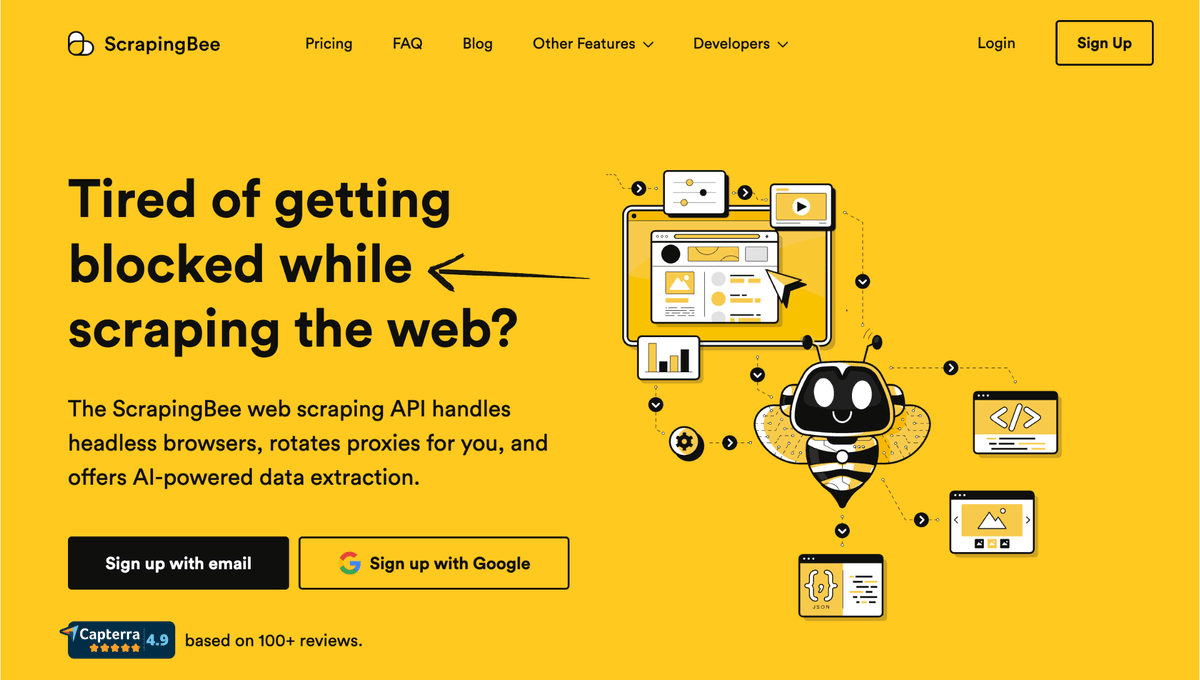
ScrapingBee is a web scraping API focused on infrastructure: rotating proxies, CAPTCHA solving, and JavaScript rendering. Unlike Jina Reader, which gives you clean Markdown, ScrapingBee gives you rendered HTML: you handle the parsing. Use it when Jina Reader fails because of anti-bot measures.
Key Benefits
- Automatic proxy rotation and CAPTCHA bypass
- JavaScript rendering with Chromium
- Geolocation targeting for localized content
- Simple REST API: works with any language
ScrapingBee Example
import requests
from bs4 import BeautifulSoup
import markdownify

def get_markdown_via_scrapingbee(url: str, api_key: str) -> str:
    response = requests.get(
        "https://app.scrapingbee.com/api/v1/",
        params={"api_key": api_key, "url": url, "render_js": "true"}
    )
    response.raise_for_status()

    soup = BeautifulSoup(response.content, "html.parser")
    for tag in soup(["script", "style", "nav", "footer"]):
        tag.decompose()

    return markdownify.markdownify(str(soup.body), heading_style="ATX")

markdown = get_markdown_via_scrapingbee("https://protected-site.com", "your-key")
Pricing
| Plan | Price | API Credits |
|---|---|---|
| Freelance | $49/month | 150,000 |
| Startup | $99/month | 500,000 |
| Business | $249/month | 2,500,000 |
Pros & Cons
Pros:
- Handles anti-bot measures Jina can't bypass
- Reliable JavaScript rendering
- Simple API with no lock-in Cons:
- Returns HTML not clean Markdown: you must parse it yourself
- More expensive than Jina Reader for equivalent volume
- Not AI-aware: no structured extraction
Rating
7/10: Best when you need to access pages that Jina Reader can't reach due to anti-bot measures.
6. Spider
Spider (spider.cloud) is a high-performance web crawling API optimized for LLM data pipelines. Like Jina Reader, it converts pages to clean Markdown: but with a focus on speed and cost efficiency at scale. One of the cheapest per-page options available.
Key Benefits
- Extremely fast crawling architecture
- Clean Markdown and HTML output
- Full-site crawling with sitemap support
- One of the lowest per-page costs available
- OpenAI-compatible API format
Spider Example
import requests

def spider_scrape(url: str, api_key: str) -> str:
    response = requests.post(
        "https://api.spider.cloud/crawl",
        headers={"Authorization": f"Bearer {api_key}", "Content-Type": "application/json"},
        json={"url": url, "return_format": "markdown", "limit": 1}
    )
    response.raise_for_status()
    return response.json()[0]["content"]

markdown = spider_scrape("https://example.com/article", "your-spider-key")
Pricing
- Free: $0 (200 credits)
- Basic: $19/month (20,000 credits)
- Standard: $49/month (100,000 credits)
- Pro: $149/month (400,000 credits)
Pros & Cons
Pros:
- Fastest page-to-Markdown conversion available
- Very cost-effective at high volume
- Full-site crawling included Cons:
- No structured data extraction
- Smaller ecosystem than Firecrawl or ScrapeGraphAI
- Limited AI/LLM framework integrations
Rating
7.5/10: Best for teams that need Jina Reader's simplicity at 10x the volume and lower cost.
7. Tavily
Tavily is an AI-native search API designed specifically for LLM agents: it doesn't just convert a URL to Markdown, it searches the web and returns clean, relevant content from the best sources. Think of it as Jina Reader with a search engine attached.
Key Benefits
- Web search + extraction in one API call: search query in, relevant content out
- Optimized for LLM context windows: returns concise, relevant excerpts
- Domain filtering: search only within specific sites
- News search mode for real-time information
- Native LangChain integration
Tavily Example
from tavily import TavilyClient

client = TavilyClient(api_key="your-tavily-key")

result = client.search(
    query="best practices for RAG pipeline chunking strategies",
    search_depth="advanced",
    max_results=5,
    include_raw_content=True
)

for source in result["results"]:
    print(f"URL: {source['url']}")
    print(f"Content: {source['content'][:300]}")
    print("---")

# As a LangChain tool for AI agents
from langchain_community.tools.tavily_search import TavilySearchResults
search_tool = TavilySearchResults(max_results=3)
results = search_tool.invoke("Jina Reader alternatives 2026")
Pricing
| Tier | Cost | API Calls |
|---|---|---|
| Free | $0 | 1,000/month |
| Researcher | $35/month | 10,000/month |
| Team | $99/month | 50,000/month |
Pros & Cons
Pros:
- Only tool that combines search + extraction in one call
- Perfect for AI agents that need to research topics
- Native LangChain integration Cons:
- Can't target a specific URL: it's a search API, not a URL reader
- Less control over which pages are included
- More expensive than pure Markdown converters for single-URL use
Rating
8/10: Best for AI agents that need to research topics across the web, not just read a specific page.
Feature Comparison Table
| Tool | Markdown Output | Structured JSON | Full-Site Crawl | AI Agent Tools | Free Tier | Pricing From |
|---|---|---|---|---|---|---|
| Jina Reader | ✅ | ❌ | ❌ | ❌ | ✅ | Usage-based |
| ScrapeGraphAI | ✅ | ⭐⭐⭐⭐⭐ | ❌ | ⭐⭐⭐⭐⭐ | ✅ | $20/month |
| Firecrawl | ✅ | ⭐⭐⭐ | ⭐⭐⭐⭐⭐ | ⭐⭐⭐ | ✅ | $16/month |
| Diffbot | ❌ | ⭐⭐⭐⭐⭐ | ✅ | ⭐⭐ | ✅ (10K calls) | $299/month |
| Crawl4AI | ✅ | ⭐⭐⭐ | ✅ | ⭐⭐⭐ | Free (OSS) | Self-hosted |
| ScrapingBee | ❌ (HTML) | ❌ | ❌ | ❌ | ❌ | $49/month |
| Spider | ✅ | ❌ | ✅ | ❌ | ✅ | $19/month |
| Tavily | ✅ (excerpts) | ❌ | ❌ | ⭐⭐⭐⭐⭐ | ✅ | $35/month |
Use Case Guide
Choose ScrapeGraphAI if:
- You need structured data fields (not just raw Markdown) from specific pages
- You're building AI agents that need web data as a tool
- You want a single API that handles both Markdown and structured extraction
Choose Firecrawl if:
- You need to ingest an entire website for RAG or a knowledge base
- Your primary use case is Markdown for LLM consumption
- You need webhook-based async crawling of large sites
Choose Diffbot if:
- You're building an enterprise knowledge graph or news monitoring system
- You need automatic page classification without writing prompts
Choose Crawl4AI if:
- You have privacy or cost constraints that rule out hosted APIs
- You need high-volume RAG corpus building at compute-cost pricing
Choose Spider if:
- You just need Jina Reader at higher volume and lower cost
- Your use case is pure Markdown conversion: no structured extraction needed
Choose Tavily if:
- Your AI agent needs to research topics rather than read a specific URL
- You're building LangChain agents that consume live web search results
Frequently Asked Questions
What is Jina Reader used for?
Jina Reader converts web pages to clean, LLM-readable Markdown by prefixing a URL with r.jina.ai/. It's primarily used for RAG pipelines, LLM content ingestion, and content analysis workflows.
Is there a free Jina Reader alternative?
Yes. Crawl4AI is completely free and open-source. ScrapeGraphAI, Firecrawl, Spider, and Tavily all have free tiers. Diffbot offers 10,000 free API calls per month without a credit card.
Which Jina alternative is best for RAG pipelines?
Firecrawl is purpose-built for RAG: it recursively crawls entire websites and returns clean Markdown from every page. Crawl4AI is the best free alternative with LLM-aware chunking strategies built in.
Can ScrapeGraphAI replace Jina Reader completely?
Yes. ScrapeGraphAI's scrape endpoint provides page-to-Markdown conversion through the markdown format, while extract adds structured JSON extraction that Jina doesn't offer. It's a strict superset of Jina Reader's functionality.
Which is better for AI agents: Jina or Tavily?
Tavily is significantly better for AI agents. While Jina reads a specific URL you point it at, Tavily can search the web and retrieve the most relevant content for a given query: far more useful for agents that need to research topics dynamically.
Does Firecrawl have better output quality than Jina Reader?
Firecrawl's Markdown output quality is generally better than Jina Reader's: it removes more noise, handles more site types reliably, and supports additional output formats including structured JSON.
Related Resources
- Crawl4AI Alternatives - More open-source scraping options
- Best Tavily Alternatives - Search API alternatives compared