


TL;DR
OpenClaw, the self-hosted gateway that connects your chat apps to an AI agent, now has a native ScrapeGraphAI integration through the just-scrape skill.
- What is new: the agent behind OpenClaw can scrape any URL and reply with schema-validated JSON.
- How: one CLI install plus one skill install, no per-channel wiring.
- Where you drive it: Telegram, Slack, Discord, WhatsApp, and the other channels OpenClaw supports.
- Where to start: the step-by-step guide and the OpenClaw integration docs.
You already message your agent from your phone. Now it can read the live web and hand back clean data instead of a screenshot of HTML.
We have shipped a ScrapeGraphAI integration for OpenClaw, the self-hosted gateway that routes your chat apps to an AI coding agent. The integration ships as the just-scrape skill, so the agent gains structured scraping without any extra plumbing per channel.
Why this matters
OpenClaw is great at being everywhere you chat. Telegram on the train, Slack at your desk, Discord in the evening. The one thing the agent behind it could not do reliably was pull structured data off the web.
just-scrape fixes that. Send a URL, describe the shape you want, and the reply comes back as JSON with consistent fields every time. No markdown to untangle, no parsing on your end. Because OpenClaw already handles the channel routing, that structured reply lands right back in the thread you sent it from.
What you can do with it
Once the skill is installed, the agent reaches for it whenever a message needs live web data:
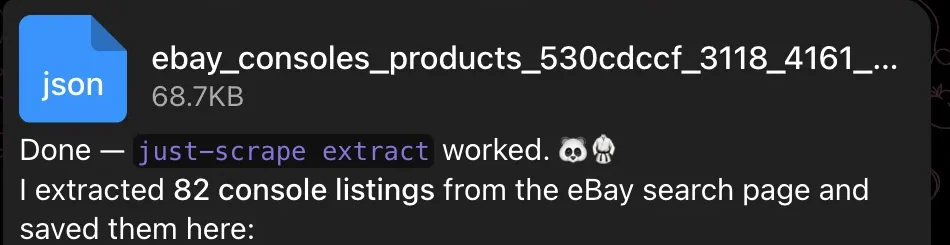 An excerpt from our OpenClaw tutorial: the bot returns a JSON file and reports the number of extracted listings.
- Scrape on demand: paste a product page from your phone and get back price, stock, and rating.
- Research from chat: ask for the top results on a topic and get a structured summary.
- Quick comparisons: drop a few competitor URLs and have the agent line up the fields.
- Triggered monitors: kick off a scrape from Slack and read the result without leaving the channel.
It is the same scraping toolkit our other integrations use, now reachable from wherever you already talk to your agent.
Get started
The full walkthrough, including connecting Telegram and running a live eBay price check from your phone, is in our OpenClaw guide. For the reference setup, see the integration docs.
You will need OpenClaw installed, an AI provider key, Node 22+, and a ScrapeGraphAI API key. One CLI install, one skill install, and your chat agent can scrape.
Related Articles
- How to Use ScrapeGraphAI with OpenClaw - The full setup, from install to a chat-driven scrape.
- How to Use ScrapeGraphAI with Hermes Agent - The same scraping skill in a local-first autonomous agent.
- How to Use ScrapeGraphAI MCP with Claude Desktop - Give Claude live web access through MCP.