


TL;DR
Today we release our V2 a complete rewrite from scratch of every part of the product. It brings a better user experience via the new saas, a complete rebranding, faster and cheaper apis. You get double the credits for the same price.
If you need to migrate, check the guide here - just past it to claude code/codex or whatever you are using
Why we did it?
The previous verions of the product had several issues, no brand, no clear consisten UI/UX and a tons of bugs. When I was hired, after had a look around it was clear a rewrite was in order. We dictched FastAPI in favor of Hono and we got 1/3 of the mem consuption and much better scaling. Our apis are mostly doing I/O bound work, so javascript is perfect for this and much better than Python and anything in that ecosystem.
We can now reply faster to API calls, scale much better and worry less about machines going OOM randomly.
The new stuff
So we unify the endpoints under simple single verbs, each one doing one thing exactly. So,
scrapefor markdown, HTML, screenshots, links, images, summaries, and brandingextractfor structured JSON with prompts and optional schemassearchfor web search plus extraction in one requestcrawlfor multi-page site exploration with progress trackingmonitorfor recurring checks and change detection
Easy peasy, even for a dumb programmer like you :)
With the same api call you can extract multiple formats, namely
html-> no shit yeahmarkdown-> again no shitsummarylinksimagesjson-> can pass a schema and a prompt, basically /extract but we are keeping /extract as well for nowbranding-> get the brandingscreenshot
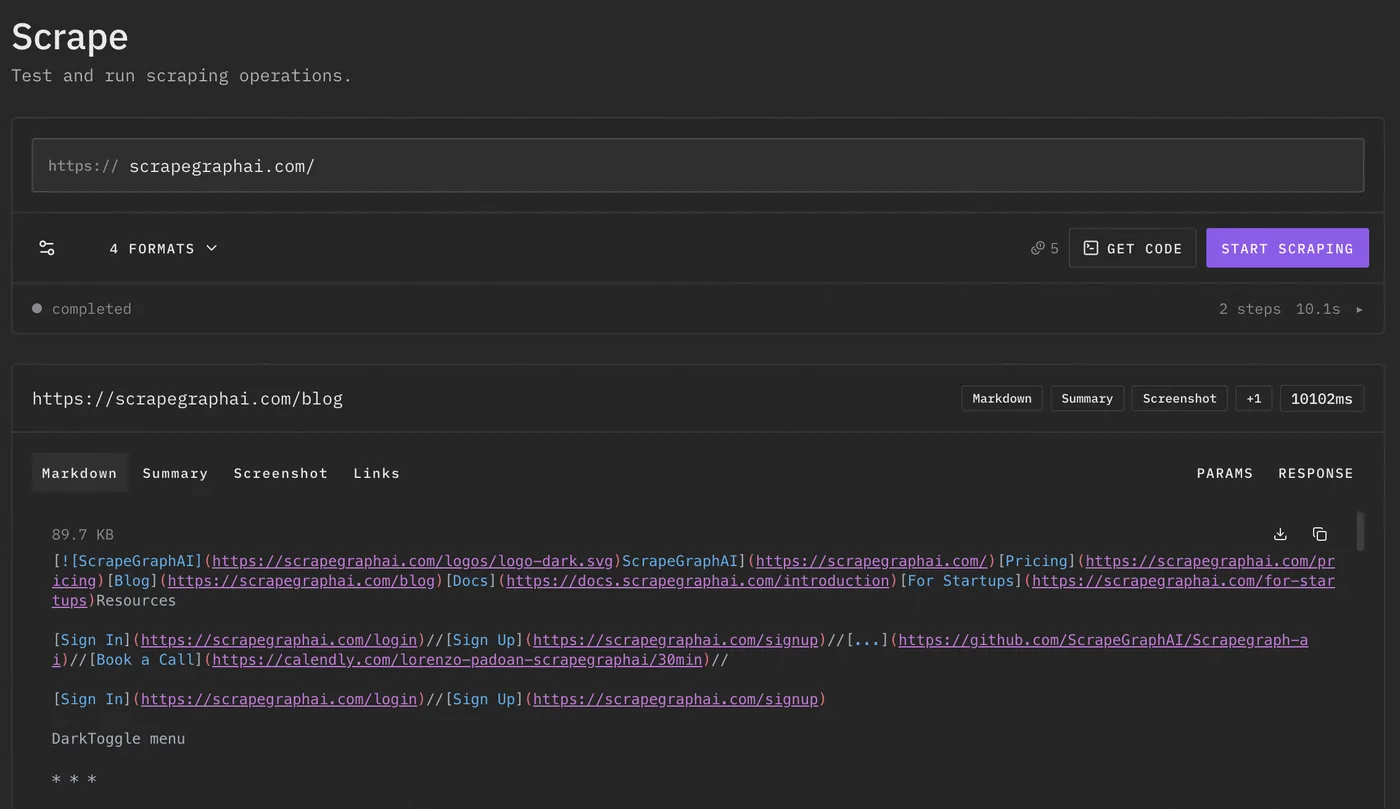
Via the api is quite simple
curl -X POST https://v2-api.scrapegraphai.com/api/scrape \
  -H "Content-Type: application/json" \
  -H "SGAI-APIKEY: $SGAI_API_KEY" \
  -d '{
    "url": "https://docs.scrapegraphai.com",
    "formats": [
      { "type": "markdown", "mode": "reader" },
      { "type": "links" }
    ]
}'This is the main idea of V2. Do not scrape the same page five times because you need markdown, links, and screenshot. Ask for the stuff you need in one request and move on with your life gg well done.
If you want structured output directly, use extract.
curl -X POST https://v2-api.scrapegraphai.com/api/extract \
  -H "Content-Type: application/json" \
  -H "SGAI-APIKEY: $SGAI_API_KEY" \
  -d '{
    "url": "https://news.ycombinator.com",
    "prompt": "Extract the top 5 stories with title, url, points and author"
  }'
This is useful for all the normal boring stuff: lead enrichment, product extraction, research, competitor data, job posts, tables, whatever. You give it a prompt and it gives you something usable instead of a pile of divs.
Search
search is also cleaned up. You can search the web and extract in the same request.
curl -X POST https://v2-api.scrapegraphai.com/api/search \
  -H "Content-Type: application/json" \
  -H "SGAI-APIKEY: $SGAI_API_KEY" \
  -d '{
    "query": "browser automation API pricing pages",
    "numResults": 5,
    "prompt": "Return company name, pricing URL and cheapest paid plan"
  }'
Also new python and javascript sdks are available.
The JS sdk looks like this, nothing crazy
import { ScrapeGraphAI } from "scrapegraph-js";

const sgai = ScrapeGraphAI();

const response = await sgai.scrape({
  url: "https://docs.scrapegraphai.com",
  formats: [
    { type: "markdown", mode: "reader" },
    { type: "links" },
  ],
});

console.log(response);
Crawler
We also improved the crawler, you can watch in real time ScrapeGraphAI crawling and building the website graph in the saas.
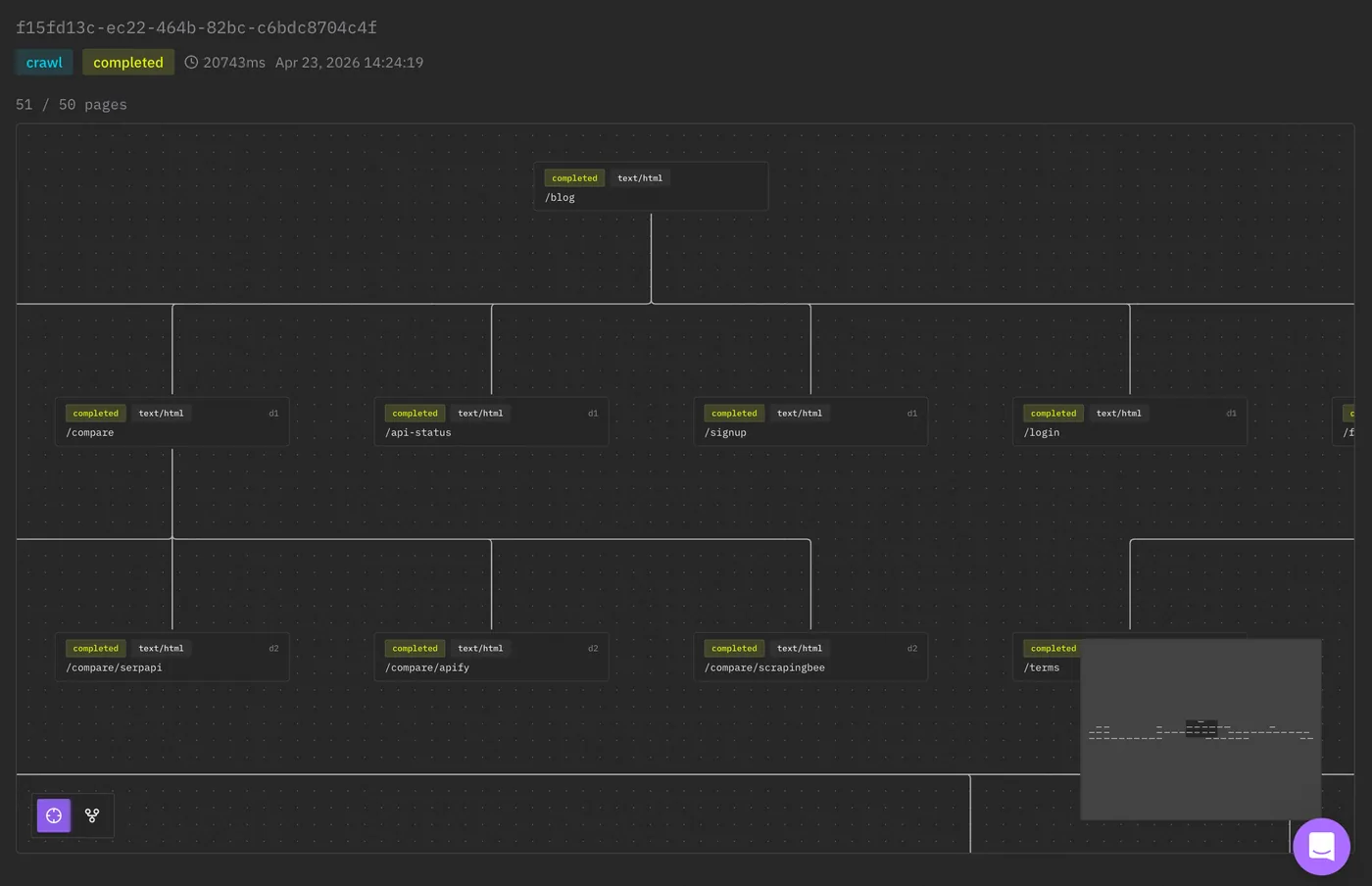
So you can do this
curl -X POST https://v2-api.scrapegraphai.com/api/crawl \
  -H "Content-Type: application/json" \
  -H "SGAI-APIKEY: $SGAI_API_KEY" \
  -d '{
    "url": "https://docs.scrapegraphai.com",
    "maxDepth": 2,
    "maxPages": 25,
    "formats": [
      { "type": "markdown", "mode": "reader" },
      { "type": "links" }
    ]
  }'
And now you have the base for a docs importer, knowledge base, agent memory refresh, or whatever other shit you are building.
Monitor
One big feature was the monitor, which allows you monitor a webpage for changes, changes can be in pixels, in html/markdown, in structurural data (so providing a json schema) etc. This is extremely useful for agentic workflows when you want the agent to reach to an external input; for this reason you can attach a webhook.
Example: monitor a pricing page and call a webhook when something changes.
curl -X POST https://v2-api.scrapegraphai.com/api/monitor \
  -H "Content-Type: application/json" \
  -H "SGAI-APIKEY: $SGAI_API_KEY" \
  -d '{
    "url": "https://example.com/pricing",
    "name": "Competitor pricing monitor",
    "interval": "0 */6 * * *",
    "webhookUrl": "https://example.com/webhooks/pricing",
    "formats": [
      { "type": "markdown", "mode": "reader" }
    ]
  }'
Now instead of your agent polling the same website every 10 minutes like an idiot, the monitor can call your webhook.
Related Articles
-
Which ScrapeGraphAI Service Should You Use? - choose by your input, required output, and schedule.
-
ScrapeGraphAI API Guide: Scrape, Extract, Search - current V2 API examples.
-
JavaScript SDK for AI Web Scraping: Full Guide - JS sdk stuff.
-
AI-Powered Browser Extension for Effortless Scraping - same idea, but in the browser.
That's it
V2 is faster, cheaper, cleaner and much less annoying to use.
Now time to migrate!