


TL;DR
Wire OpenAI Codex to ScrapeGraphAI's hosted MCP server in two minutes. No proxy binary, no SDK, just TOML, because Codex speaks Streamable HTTP natively.
- What you need:
codexon your PATH and a ScrapeGraphAI API key. - Where to edit:
~/.codex/config.tomlfor global scope, or.codex/config.tomlfor a single project. - What you get: scraping tools Codex picks automatically based on your prompt, with structured output piped straight into the code it writes.
Codex is good at code. It's terrible at fresh data. Ask it to "scrape this competitor's API docs and generate TypeScript types" and you'll get a polite refusal, because the model can't reach the web from inside your terminal.
This guide changes that. You'll connect OpenAI's Codex to ScrapeGraphAI's hosted MCP server. Two minutes of config and Codex can pull live pages, extract structured data, and feed it straight into the code it's writing for you. No proxy binary. No SDK. Pure TOML.
Codex talks to Streamable HTTP MCP servers natively, which means the setup is cleaner than other AI clients. You point at a URL, add a header, and you're done.
What you need
| Requirement | Where to get it |
|---|---|
Codex (codex on your PATH) |
developers.openai.com/codex |
| A ScrapeGraphAI API key | scrapegraphai.com/dashboard |
| Node.js 18+ | Only needed if you're using Codex via npm. Most installs have it already |
That's it. No npx mcp-remote proxy hack like Claude Desktop requires. Codex speaks HTTP directly.
Step 1: Grab your API key
Sign in at scrapegraphai.com/dashboard and copy the key from the API Keys section. Treat it like a password. Anyone holding it can spend your credits.
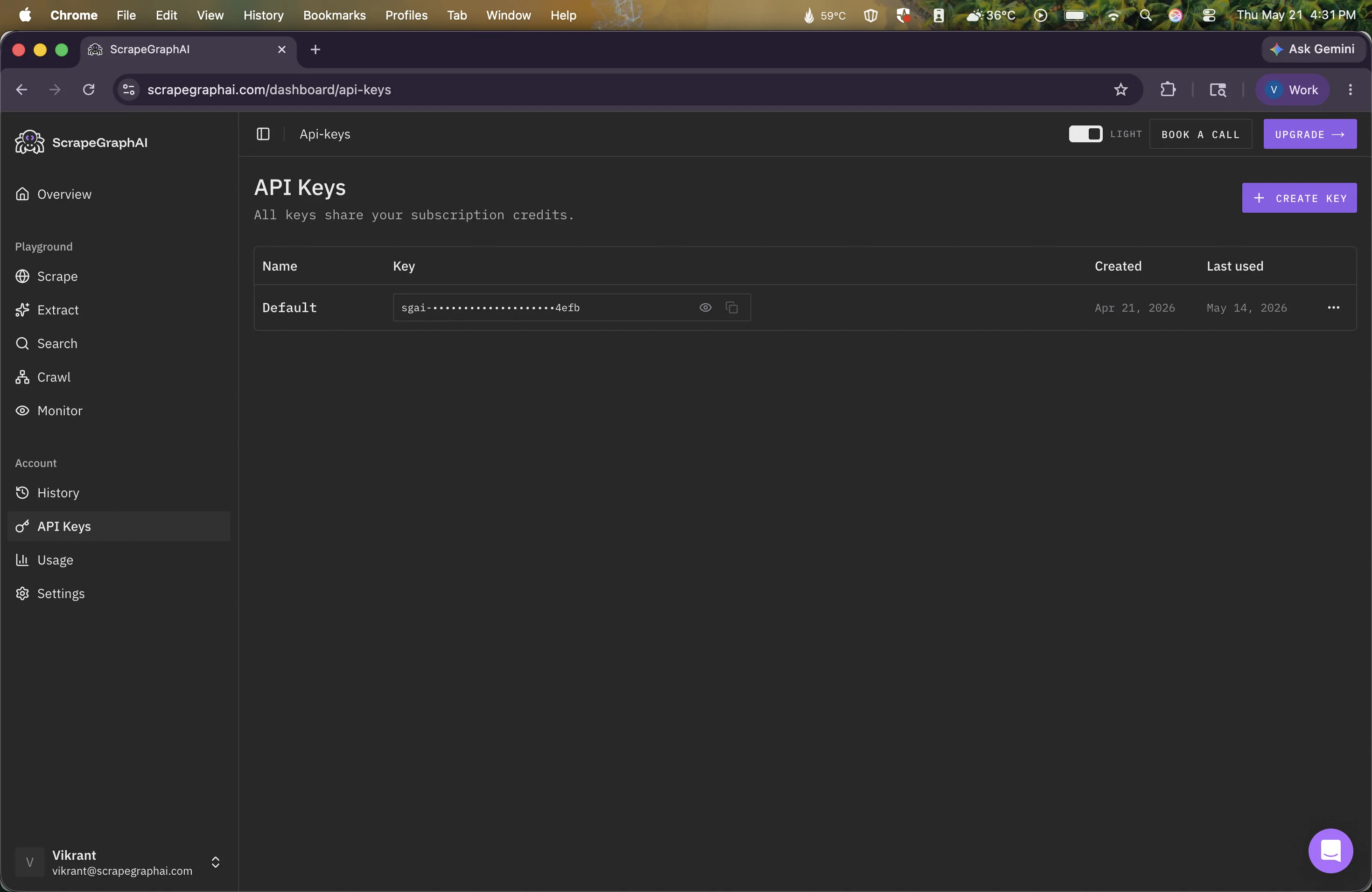
New accounts ship with enough free credits to follow this guide and run a dozen scrapes after.
Step 2: Open your Codex config
Codex reads MCP servers from a TOML file. Two locations work:
| Scope | Path |
|---|---|
| Global (all projects) | ~/.codex/config.toml |
| Project-local (trusted projects only) | .codex/config.toml |
Global is the right call unless you have a real reason to scope this to one repo. Open it in your editor, creating it if it doesn't exist:
mkdir -p ~/.codex && open -t ~/.codex/config.tomlStep 3: Add the ScrapeGraphAI MCP server
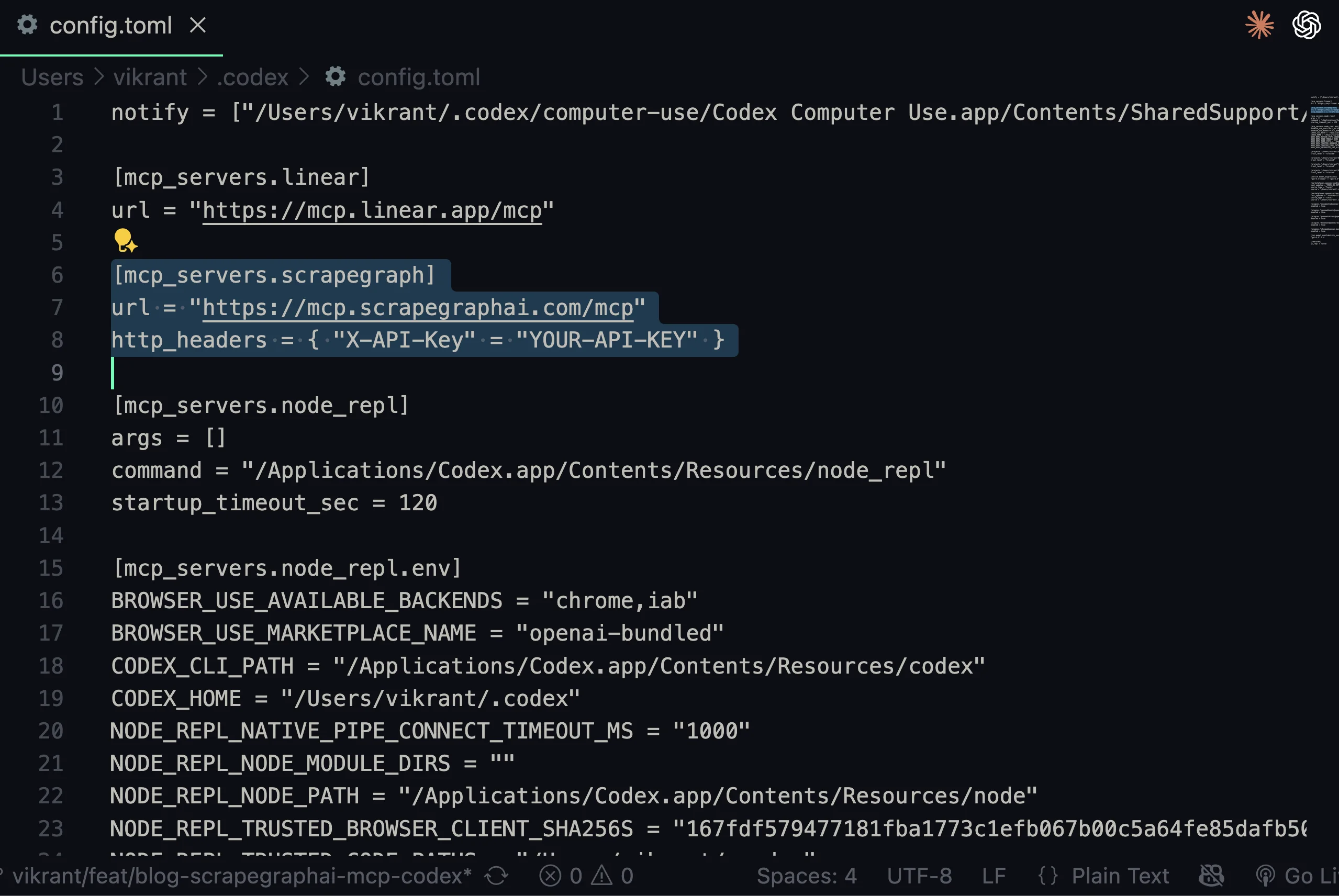
Paste this block into the config file. If you already have MCP servers configured, add this as another [mcp_servers.*] section. They stack.
[mcp_servers.scrapegraph]
url = "https://mcp.scrapegraphai.com/mcp"
http_headers = { "X-API-Key" = "YOUR_API_KEY" }
Replace YOUR_API_KEY with the key from Step 1. Done.
What Codex can do now
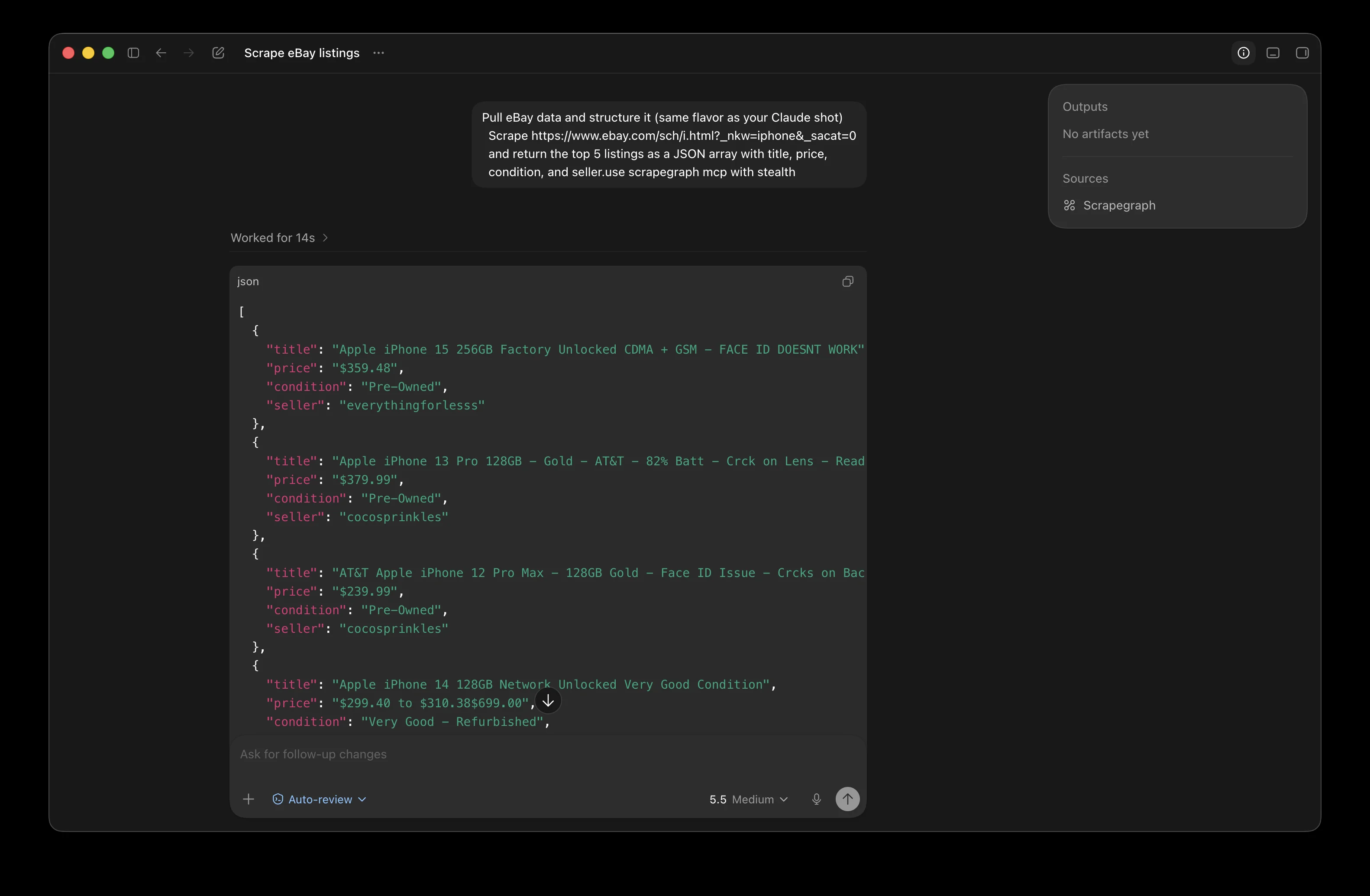
Codex picks the right scraping tool based on your prompt. You don't name the tool, you describe the job. Point it at any URL and ask for structured output.
Troubleshooting
In rough order of how often each one bites you.
scrapegraph doesn't appear in /mcp. TOML syntax error, usually a stray bracket or quote. Run cat ~/.codex/config.toml | head and check the file is valid. Online validator: toml-lint.com. One bad section nukes the whole config.
"Failed to connect" or 401 on every tool call. The API key header is wrong. The format is http_headers = { "X-API-Key" = "..." }. Double-check the quoting (TOML is strict about it) and that there's no trailing space or newline in the key itself.
Codex doesn't pick up config changes. Restart Codex. Some Codex versions cache MCP server lists for a session, so fully exit (Ctrl+C then close terminal if needed) and start a fresh session.
Tool calls succeed but Codex hallucinates the data. This is rare but happens if the scraping tool returns an error and Codex tries to be helpful by guessing. Run the same prompt again, usually transient. Persistent failure means the target site is blocking us, try a different URL to confirm.
Pricing and limits
Free tier covers experimentation comfortably. Production use is metered, with credits scaling by response complexity. Full breakdown lives on the pricing page, and the price calculator helps estimate a real workload before you commit. Volume deals and enterprise SLAs go through contact@scrapegraphai.com.
Related Articles
- How to Use ScrapeGraphAI MCP with Claude Desktop: same MCP server, the Claude Desktop setup with the
mcp-remoteproxy - ScrapeGraphAI MCP Server: the bigger-picture case for MCP as the bridge between AI and live data
- Claude Scraping Beast Machine: what becomes possible once any AI client can scrape the live web
- Docker MCP ScrapeGraph Tutorial: running the MCP server in a container instead of pointing at our hosted endpoint
- Docker MCP ScrapeGraph Tutorial: when you want a hands-on MCP setup path