


TL;DR
The ScrapeGraphAI CLI (just-scrape) brings AI-powered scraping to your terminal, no SDK boilerplate required.
- Install it once:
npm install -g just-scrape, or run it ad hoc withnpx just-scrape. - Authenticate: set
SGAI_API_KEYor let the CLI prompt you and save the key for next time. - Use it:
extract,scrape,search, andcrawlall work from a single command. - Pipe it: JSON output mode makes the CLI a first-class citizen in shell scripts and CI.
Why a CLI?
Most data work starts as a quick experiment. You want to point something at a URL, describe what you need in plain English, and see structured JSON come back before you commit to writing real code.
That is exactly the gap just-scrape fills. It is the official command-line tool for ScrapeGraphAI, and it exposes the same engine that powers our SDKs and API, only without the import statements. Open a terminal, type a prompt, get data. When the experiment graduates into a pipeline, the same commands drop straight into a shell script or a CI job.
Installation
Install it globally with whichever package manager you already have:
npm install -g just-scrape
# or: pnpm add -g just-scrape
# or: yarn global add just-scrape
# or: bun add -g just-scrapePrefer not to install anything? Run it on demand:
npx just-scrape --help
# or: bunx just-scrape --help
Setting your API key
Grab a key from the ScrapeGraphAI dashboard, then make it available to the CLI. The tool looks for credentials in this order:
- The
SGAI_API_KEYenvironment variable - A
.envfile in your project root ~/.scrapegraphai/config.json- An interactive prompt (it saves the key to the config file for you)
The fastest path:
export SGAI_API_KEY="your-api-key"Verify everything is wired up by checking your balance:
just-scrape creditsA few other environment variables are worth knowing: SGAI_API_URL (defaults to https://v2-api.scrapegraphai.com/api), SGAI_TIMEOUT (defaults to 120 seconds), and SGAI_DEBUG for verbose logging when something misbehaves.
Your first extraction
Here is the canonical example. Point the CLI at a page and tell it what to pull out:
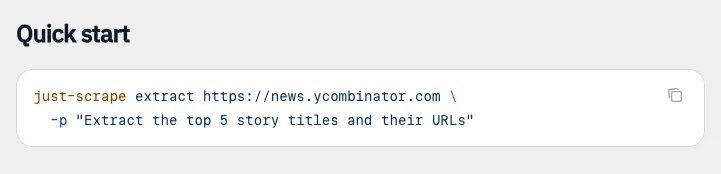 The CLI quick start pairs a URL with a prompt describing the fields to extract.
just-scrape extract https://news.ycombinator.com \
  -p "Extract the top 5 story titles and their URLs"
The -p flag is your prompt. There is no schema to define and no parser to write. The AI reads the page, understands your request, and returns structured data.
The commands you will reach for
The CLI mirrors the core ScrapeGraphAI capabilities, so the mental model carries over from the API:
extract: pull structured data from a page using a natural-language prompt.scrape: fetch page content in the format you want (markdown, HTML, links, and more).search: run a web search and extract structured results in one shot.crawl: walk multiple pages of a site as an asynchronous job.credits: check your remaining balance.
Run just-scrape <command> --help for the full flag reference on any of them.
Wiring it into scripts
The CLI really earns its place when you stop typing commands by hand and start piping them. The --json flag prints a raw, pipeable payload whose extracted data lives under the .json key, so jq can chew on it:
just-scrape extract https://news.ycombinator.com \
  -p "Extract the top 5 story titles and their URLs" \
  --json | jq '.json'
The shape of .json follows your prompt. Ask for story titles and you get back something like { "stories": [ { "title": "...", "url": "..." } ] }, so pulling just the titles is one more step:
just-scrape extract https://news.ycombinator.com \
  -p "Extract the top 5 story titles and their URLs" \
  --json | jq -r '.json.stories[].title'
From there it is a short hop to a cron job that scrapes a competitor's pricing page every morning, a CI step that validates a feed, or a one-liner that seeds a local dataset. Because the key resolution falls back to environment variables, the same command runs identically on your laptop and on a build runner.
When to use the CLI versus the SDK
Reach for the CLI when you are exploring, prototyping, or gluing scraping into shell automation. Reach for the Python or JavaScript SDK when scraping lives inside a larger application and you want types, retries, and tighter control. They share the same backend, so anything you prove out in the terminal translates cleanly into code.
Wrapping up
just-scrape removes the friction between "I wonder what's on that page" and "here is the structured data." Install it, set a key, and you have a scraping engine one command away. Start with extract, lean on --json when you automate, and let the SDKs take over when the experiment becomes a product.
Related Articles
- ScrapeGraphAI MCP Server: Give Your AI the Web - Bring the same engine to Claude and Cursor over MCP.
- ScrapeGraphAI + Vercel AI SDK: Web Tools for Agents - Move from terminal commands to tool-calling agents.
- Integrating ScrapeGraphAI into Intelligent Agents - The broader playbook for agent-driven scraping.