


TL;DR
The 7 best AI-powered web scraping tools ranked for accuracy, ease of use, and value in 2026.
- ScrapeGraphAI (Best Overall) — 98% accuracy, AI-powered extraction starting at $20/month
- Octoparse (Most Featured) — no-code scraping with cloud automation and scheduling
- ScrapeStorm — automatic pattern recognition with 99% success rate on many sites
- AI advantage — these tools adapt to site changes without manual selector updates
Meta Description: Unlock effortless data extraction with the best AI Web Scraping Tools! Discover top-rated AI-powered solutions for efficient & accurate ae web scraping tool. Click now!
Best Overall: ScrapeGraphAI
Experience 98% accuracy and effortless scraping. Enjoy intelligent data extraction and a 30-day guarantee. Starting at just $20/month, scrape up to 10,000 pages with AI-powered precision.
Best Value: Octoparse
Automate scraping without coding and save up to 70% of your time. The Standard plan begins at $75/month for unlimited tasks. Benefit from cloud scraping and scheduling features.
Most Featured: ScrapeStorm
Automate scraping with intelligent AI, boasting a 99% success rate on many sites. Their Standard plan starts at $59.99/month for unlimited tasks. Enjoy automatic pattern recognition and various export formats. Are you tired of spending hours copying & pasting information from websites?
It can feel like a never-ending task, right? Imagine if there were a smarter way to grab the data you need.
Well, good news!
In 2025, AI web scraping tools are making this a reality. These tools use artificial intelligence to pull information from websites quickly. Want to learn about the best ones that can save you time and effort?
Keep reading to discover the top 7 AI web scraping tools that are changing the game.
What is the Best AI Web Scraping Tool?
Picking the right tool to grab info from websites can feel tricky.
Lots of options are out there, but some use smart AI to make things easier and faster.
We looked at the top choices to help you find the best one for your needs.
Here are seven of the coolest AI web scraping tools you should check out.
1. ScrapeGraphAI
Have you heard of ScrapeGraphAI?
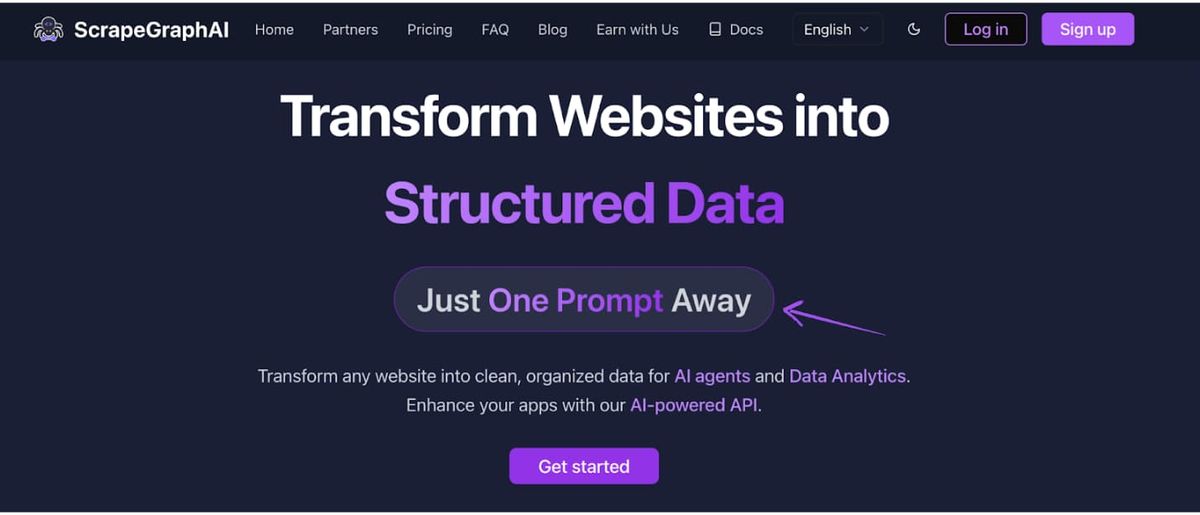
It's a cool tool that uses AI to make web scraping easier. It can understand website structures like a human. This helps it grab the exact data you need without getting confused.
 Key Benefits
-
Intelligent identification of data points.
-
Automatic handling of website changes.
-
Easy integration with other tools.
-
Quick setup in just a few minutes. Pricing
-
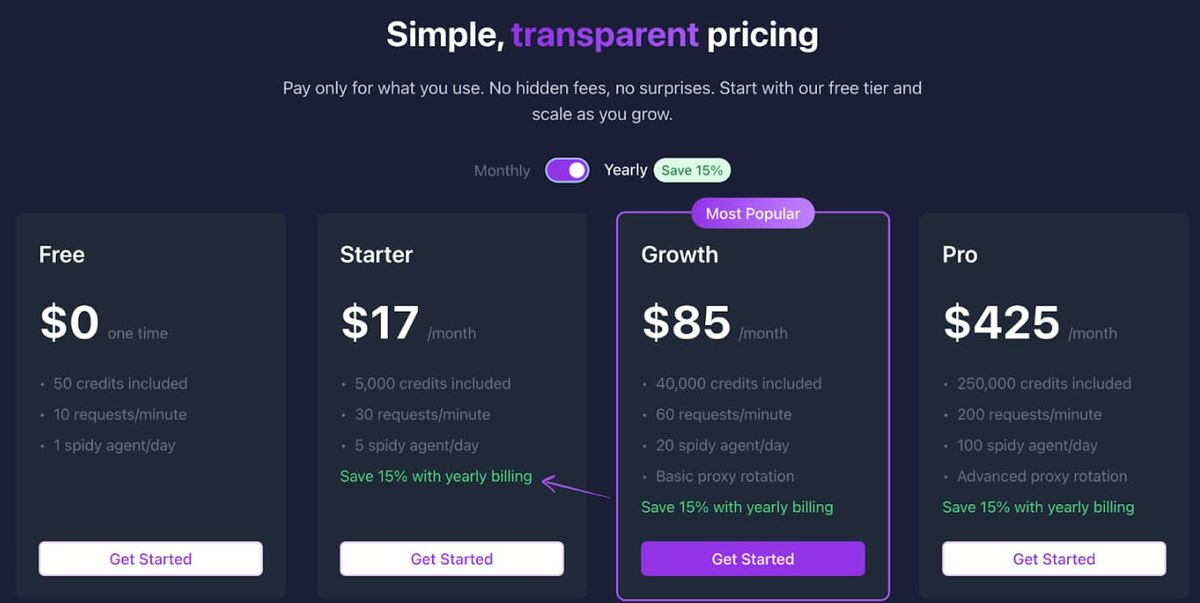
Free: $0/month.
-
Starter: $20/month.
-
Growth: $100/month.
-
Pro: $500/month.
-
Enterprise: Custom Pricing
 Pros & Cons
Here's what I think about ScrapeGraphAI:
Pros:
- It's super easy to use.
- AI makes it very accurate.
- Handles website changes well.
- Good value for the money. Cons:
- Fewer integrations than some.
- Advanced features need learning. Rating
I'd give ScrapeGraphAI a 9 out of 10. It's really smart and accurate, which saves a lot of time.
The price is fair for what it offers, and the guarantee is a nice touch. It loses a few points because the integrations are a bit limited, and getting the most out of the advanced stuff takes some effort.
2. Octoparse
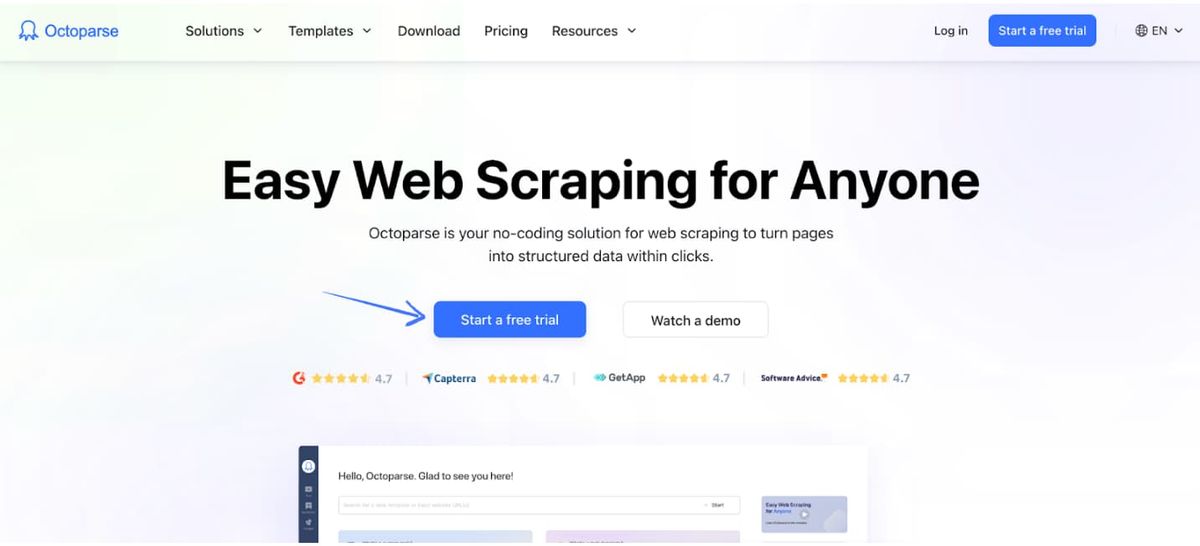
Have you heard of Octoparse? It's another popular tool for grabbing website data. What's cool is that it doesn't always need coding.
You can often just point and click to tell it what to scrape. It's like having a robot assistant for collecting online information!
Key Benefits
- Visual point-and-click interface.
- Cloud-based scraping capabilities.
- Scheduled scraping and automation.
- Ability to handle complex websites. Pricing
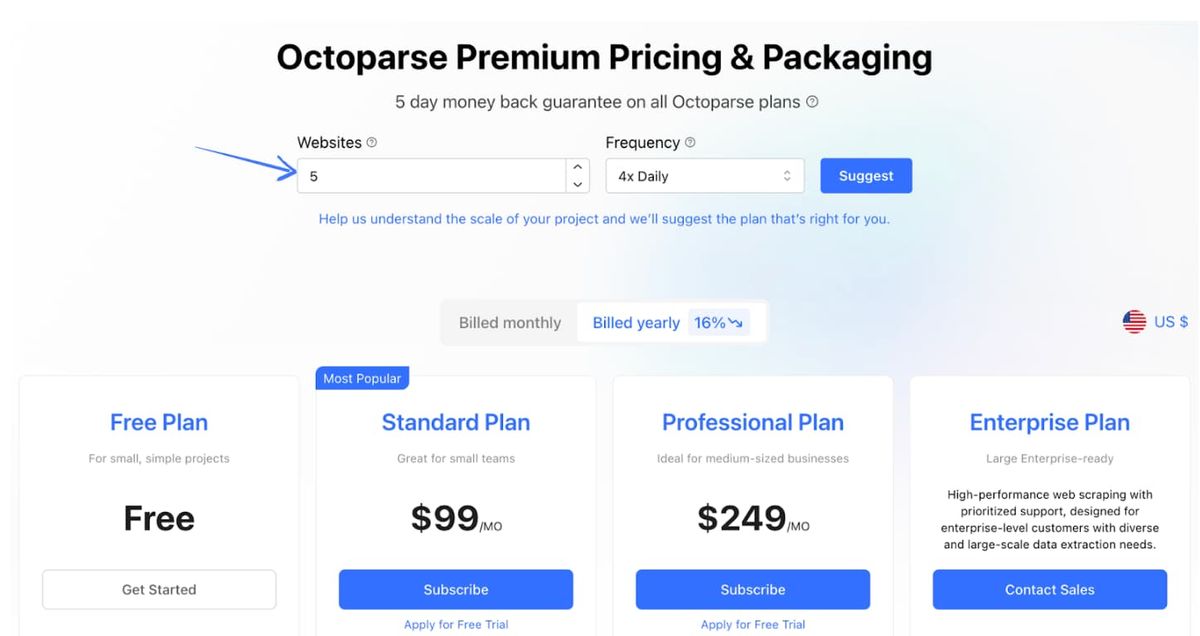
- Free: $0/month.
- Standard: $75/month.
- Professional: $209/month.
- Enterprise: Custom pricing.
Pros & Cons
Here's my take on Octoparse:
Pros:
- Very user-friendly interface.
- Great for non-coders like me.
- Cloud scraping is super handy.
- Scheduling is a big time-saver. Cons:
- It can get pricey for teams.
- Cloud server limits exist.
- Sometimes struggles with very dynamic sites. Rating
I'd give Octoparse an 8 out of 10. It's fantastic for people who don't want to code, and the cloud features are a real plus.
However, the cost for teams can add up, and it's not always perfect with super complex websites. The lack of a specific warranty is also a minor drawback.
3. ScrapeStorm
Ever try ScrapeStorm?
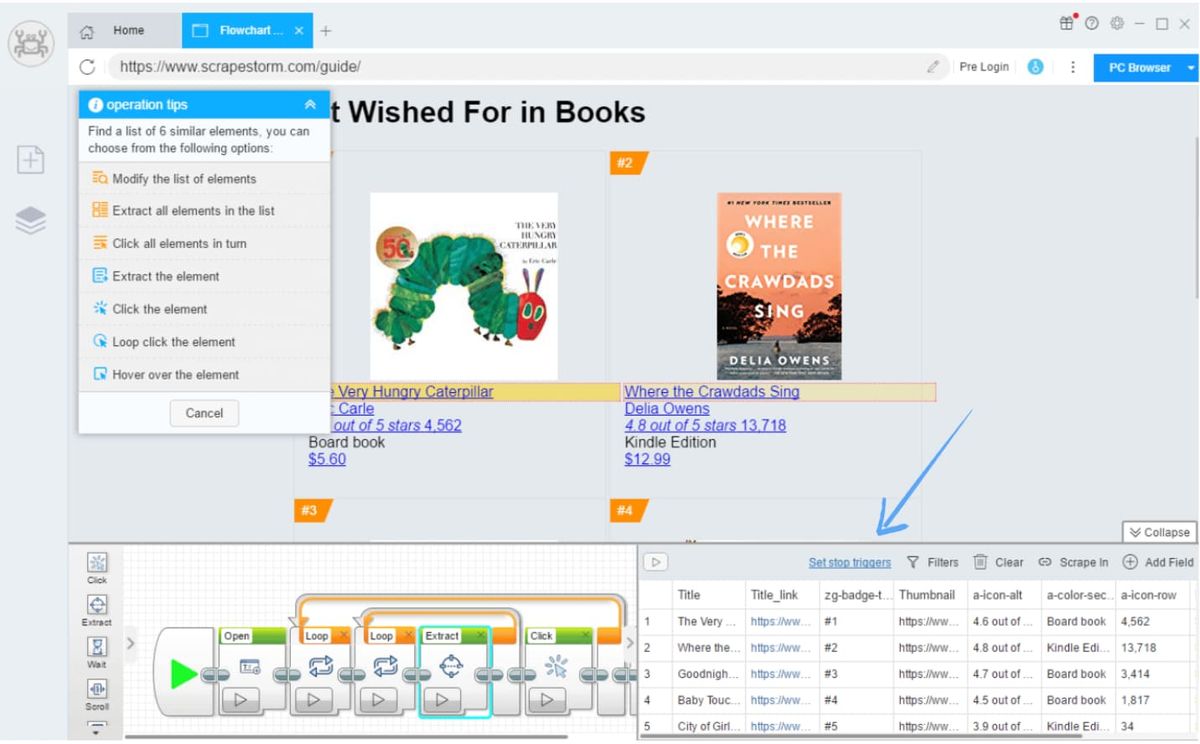
It's neat because it uses AI to detect data patterns automatically. You can often just show it what you want, and it figures out the rest.
It's quite smart at understanding the structure of websites.
Key Benefits
- Fully automated scraping process.
- Intelligent pattern recognition.
- Support for various data export formats.
- Ability to handle complex website structures. Pricing
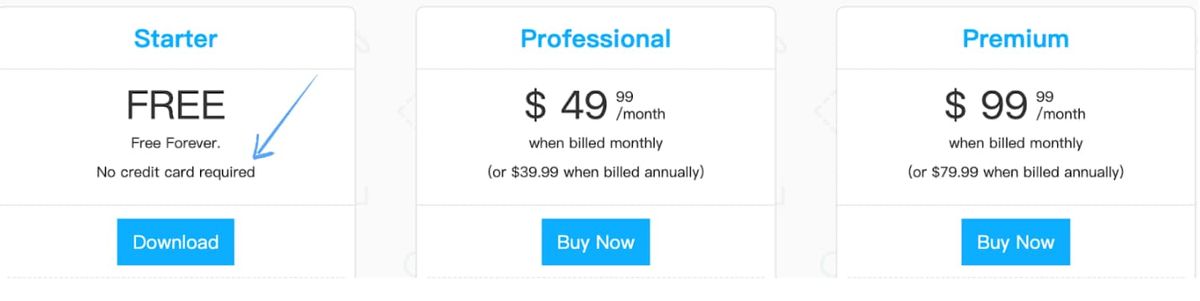
- Free: $0/month.
- Standard: $59.99/month.
- Professional: $99.99/month.
- Enterprise: Custom pricing.
Pros & Cons
Here are my thoughts on ScrapeStorm:
Pros:
- Automation is really impressive.
- It handles complex sites well.
- Lots of tasks on the basic plan.
- Good for users with less experience. Cons:
- Less control over specific details.
- Advanced customization can be tricky.
- The interface might feel different initially. Rating
ScrapeStorm gets a 7.5 out of 10 from me. The automation is a big plus, especially if you're dealing with many different websites.
It's also quite capable of complex structures. However, the trade-off for automation is less fine-grained control, and the interface might take a little getting used to.
4. Bright Data (Formerly Luminati)
You might have heard of Bright Data.
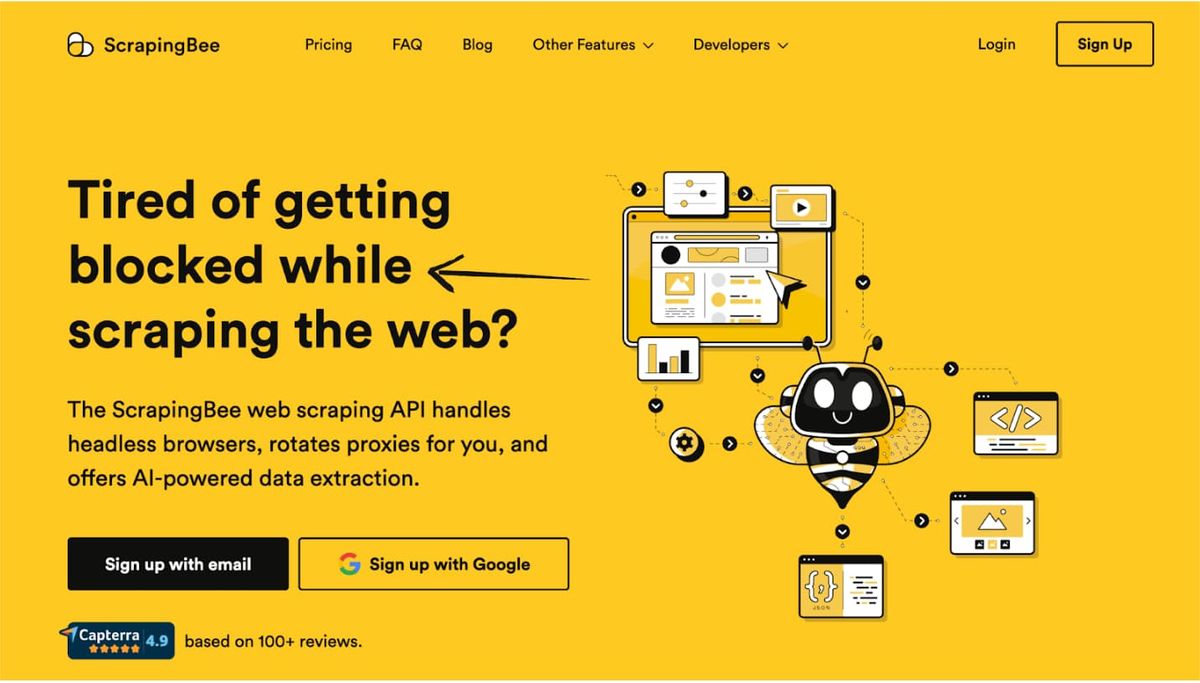
It used to be called Luminati. It's a huge network for web data collection. They have millions of proxies to help you scrape without getting blocked.
Think of it as having millions of different internet addresses you can use.
Key Benefits
- World's largest proxy network, including 400M+ residential IPs.
- High success rates for data collection.
- Advanced unblocking tools.
- 24/7 customer support. Pricing
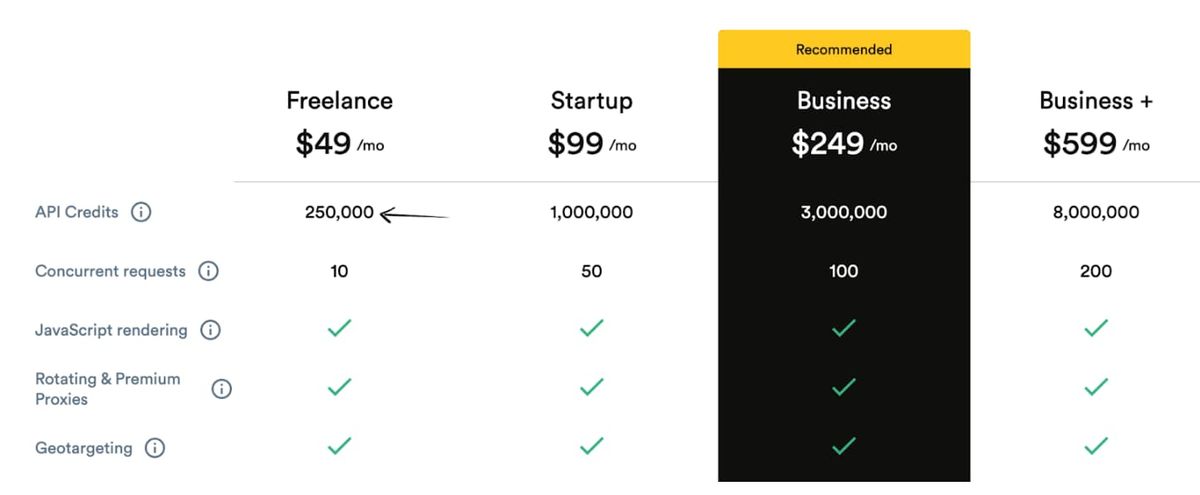
- Pay As You Go: Starting at $8.40/GB.
- Monthly Plans: From $500/month.
- Enterprise: Custom pricing.
Pros & Cons
Here's what I think about Bright Data:
Pros:
- Massive proxy network.
- Very reliable and fast.
- Professional-grade tools.
- Excellent for large-scale projects. Cons:
- It's pretty expensive.
- It has a steep learning curve.
- Probably overkill for small projects. Rating
Bright Data scores 8 out of 10.
It's professional-grade and incredibly powerful, which is why big companies love it. But it's not for everyone—the cost and complexity might be too much for casual users or small businesses.
5. Apify
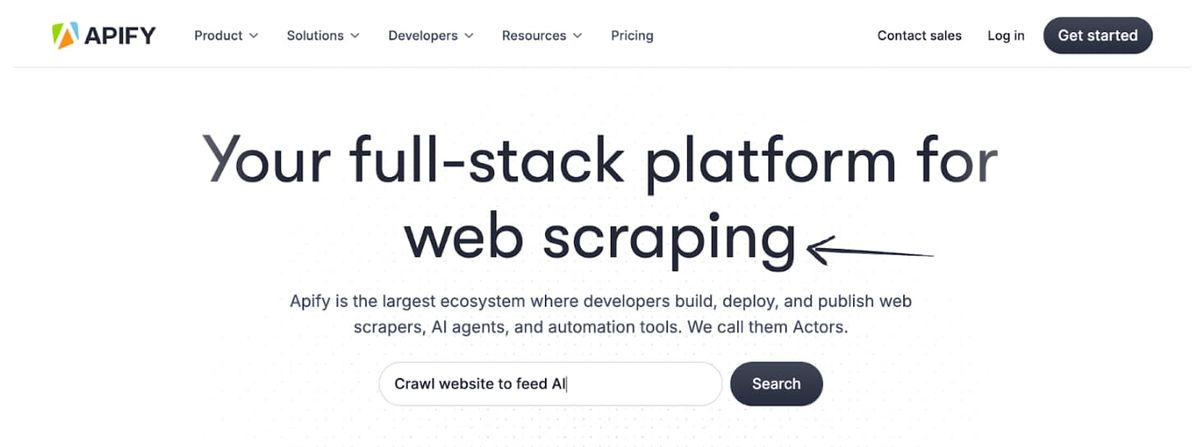
Apify is really something special.
It's more than just a scraping tool—it's a whole platform. You can find pre-made "actors" (their name for scraping bots) or build your own.
It's like having an app store for web scraping tools.
Key Benefits
- Wide range of pre-built scraping tools (actors).
- Scalable cloud platform for running tasks.
- APIs for custom integrations.
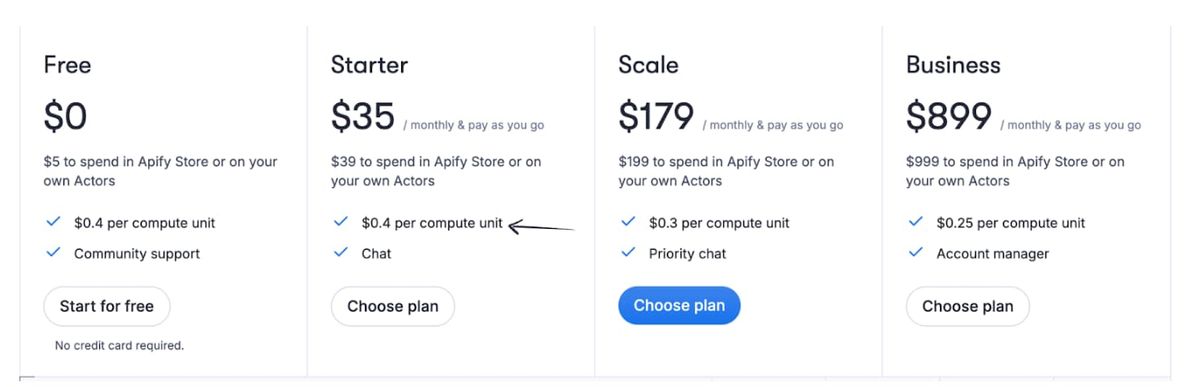
- Options for building your actors. Pricing
- Free: $5 credit/month.
- Starter: $49/month.
- Scale: $499/month.
- Business: $999/month.
Pros & Cons
My experience with Apify:
Pros:
- Huge selection of ready-made tools.
- Very scalable cloud infrastructure.
- Good for developers with its APIs.
- The free tier is great for trying things out. Cons:
- It can be a little bit complex sometimes.
- Costs can add up with heavy usage.
- The quality of actors can vary. Rating
Apify gets an 8.5 out of 10. It's powerful and flexible with a lot to offer.
The pre-built actors can save tons of time. However, the sheer number of options and the usage-based pricing might be a bit daunting for beginners.
6. ParseHub
ParseHub is quite interesting!
It uses machine learning to make scraping visual. You basically select what you want on a website by clicking on it. The tool learns from your selections and applies them across similar pages.
Key Benefits
- Visual scraping with point-and-click.
- Machine learning for pattern recognition.
- Support for JavaScript-heavy sites.
- Desktop and cloud-based options. Pricing
- Free: $0/month (limited features).
- Standard: $189/month.
- Professional: $599/month.
- ParseHub Plus: Custom pricing.
Pros & Cons
Here's my take on ParseHub:
Pros:
- Visual interface is intuitive.
- Machine learning is clever.
- Handles JavaScript sites well.
- Good for repetitive scraping tasks. Cons:
- It gets expensive quickly.
- Free version is very limited.
- Can be slow with large projects. Rating
ParseHub scores 7 out of 10.
The visual approach and machine learning are great features that make it accessible to non-programmers. But the pricing jumps from free to expensive pretty quickly, which can be a shock.
7. Scrapy (with AI Extensions)
Scrapy might surprise you on this list.
It's actually a free, open-source framework, not a service. But when you add AI extensions, it becomes super powerful. It's perfect if you like to build your own tools.
Key Benefits
- Completely free and open-source.
- Highly customizable and extensible.
- Large community and documentation.
- Can add AI capabilities through extensions. Pricing
- Core Framework: Free.
- Hosting: Varies (self-hosted or cloud).
- AI Extensions: Varies by provider.
Pros & Cons
My thoughts on Scrapy:
Pros:
- It's completely free.
- Total control over everything.
- Huge community support.
- Very powerful when configured right. Cons:
- Requires programming knowledge.
- Setup can be complex.
- You need to manage your infrastructure. Rating
Scrapy gets 7.5 out of 10.
For developers, it's fantastic—free, powerful, and totally customizable. But it's not for everyone. If you don't code, this isn't the tool for you.
Quick Comparison Table
| Tool | Best For | Starting Price | Coding Required? | Rating |
|---|---|---|---|---|
| ScrapeGraphAI | AI-powered accuracy | $20/month | No | 9/10 |
| Octoparse | Visual scraping | $75/month | No | 8/10 |
| ScrapeStorm | Automation | $59.99/month | No | 7.5/10 |
| Bright Data | Large-scale projects | $500/month | Some | 8/10 |
| Apify | Flexibility | $49/month | Optional | 8.5/10 |
| ParseHub | Machine learning | $189/month | No | 7/10 |
| Scrapy | Developers | Free | Yes | 7.5/10 |
How to Choose the Right Tool
When picking an AI web scraping tool, think about:
- Your technical skills: Can you code or do you need something visual?
- Your budget: How much can you spend monthly?
- Scale of scraping: A few pages or millions?
- Type of websites: Simple HTML or complex JavaScript sites?
- Support needs: Do you need help when things go wrong?
My Personal Recommendation
If you're just starting out, I'd go with ScrapeGraphAI or Octoparse.
They're both user-friendly and don't require coding skills. ScrapeGraphAI wins on AI capabilities and accuracy, while Octoparse is great for visual learners.
For developers or large projects, Apify or Bright Data are solid choices.
They offer more power and flexibility but come with higher costs and complexity.
Final Thoughts
AI web scraping tools have come a long way.
They're not just for tech experts anymore. With the right tool, anyone can extract data from websites efficiently.
Remember, the "best" tool depends on your specific needs. Start with a free trial when available, and see what works for your use case.
Happy scraping!
Frequently Asked Questions
What is AI web scraping?
AI web scraping uses artificial intelligence to automatically extract data from websites. Unlike traditional scraping that relies on fixed rules, AI can understand context and adapt to website changes.
Is web scraping legal?
Web scraping legality depends on the website's terms of service and local laws. Always check robots.txt files and respect website policies. When in doubt, consult legal advice.
Do I need coding skills for AI web scraping?
Not necessarily. Tools like ScrapeGraphAI, Octoparse, and ParseHub offer visual interfaces that don't require coding. However, coding skills can help with more complex tasks.
How much does AI web scraping cost?
Costs vary widely. Free tools like Scrapy exist, while enterprise solutions can cost thousands per month. Most commercial tools range from $19-$500/month depending on features and usage.
Can AI scrapers handle JavaScript websites?
Yes, most modern AI scrapers can handle JavaScript-rendered content. Tools like ScrapeGraphAI and Octoparse are specifically designed to work with dynamic websites.
What's the difference between AI and traditional scraping?
Traditional scraping uses fixed selectors and rules, while AI scraping uses machine learning to understand content contextually. AI adapts to changes automatically, while traditional methods break when websites update.