


TL;DR
The best TikTok scraper depends on the workflow. ScrapeGraphAI fits prompt-based structured extraction, Apify offers ready-made Actors, and Octoparse or Browse AI suit visual, no-code workflows.
Compare data coverage, export format, scheduling, and access controls before comparing price. TikTok changes frequently, so verify each vendor's current support and use only data you are permitted to collect.
TikTok scraper tools collect public profile, video, hashtag, and engagement data for research or monitoring workflows. The difficult part is not exporting a few fields. It is choosing a tool that matches the required data, volume, technical control, and compliance constraints.
This guide compares seven TikTok scrapers for 2026 without changing the existing ranking URL. It covers developer APIs, managed platforms, and visual tools so you can shortlist the right operating model before testing vendors against a representative set of TikTok pages.
What is the Best TikTok Scraper?
Choosing the right TikTok scraper is key.
The perfect tool depends on what you need it for.
We've researched to help you find a scraper that fits your goals, whether you're a marketer, researcher, or developer.
We've reviewed the top options and put together this list just for you.
1. ScrapeGraphAI
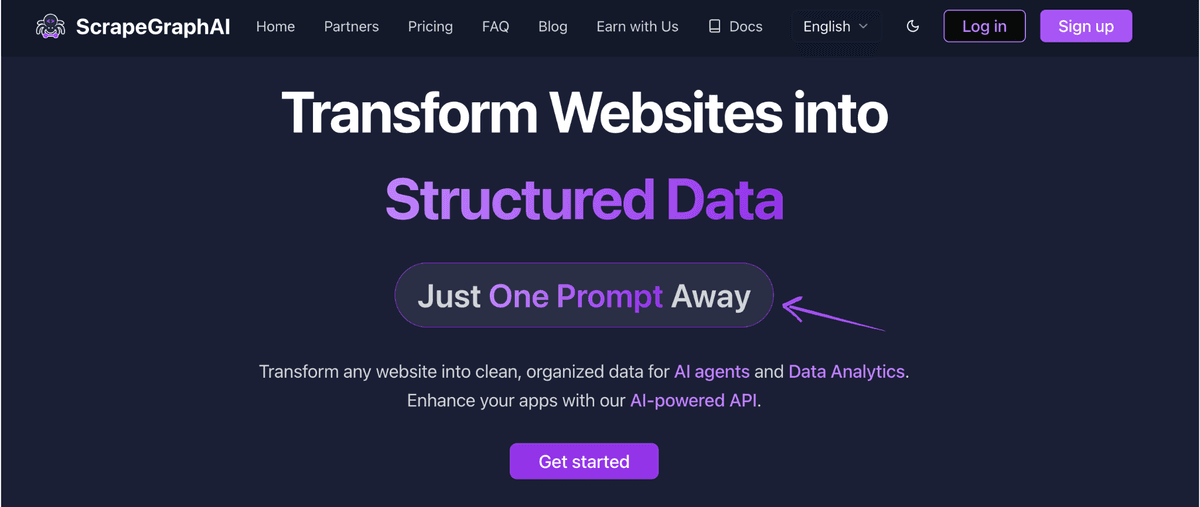
This is an AI-powered Python library for developers.
It uses large language models (LLMs) to scrape websites.
You tell it what data you want in simple language, and it gets it for you.
Key Benefits
- Intelligent identification of data points
- Automatic handling of website changes
- Easy integration with other tools
- Quick setup in just a few minutes
Pricing
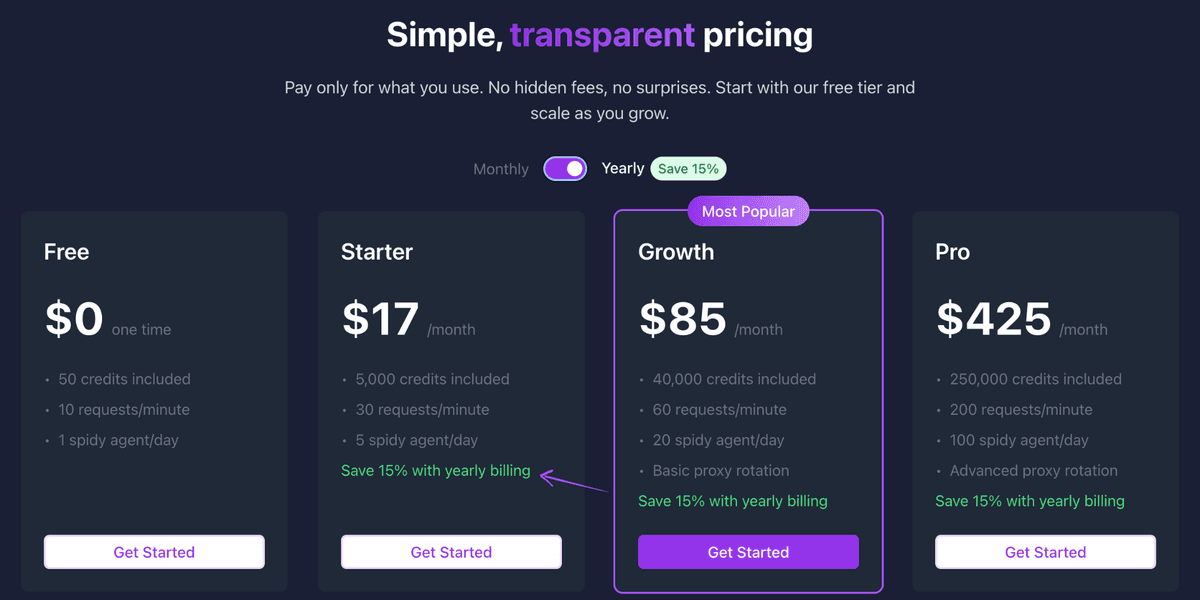
ScrapeGraphAI offers usage-based plans and enterprise options. Check the current pricing page before estimating a production workload because included credits and limits can change.
Pros & Cons
For a developer-led extraction workflow:
Pros:
- It's super easy to use
- AI makes it very accurate
- Handles website changes well
- Good value for the money Cons:
- Fewer integrations than some
- Advanced features need learning
Rating
9/10
ScrapeGraphAI is really smart and accurate, which saves a lot of time. The price is fair for what it offers, and the guarantee is a nice touch. It loses a few points because the integrations are a bit limited, and getting the most out of the advanced stuff takes some effort.
2. Apify
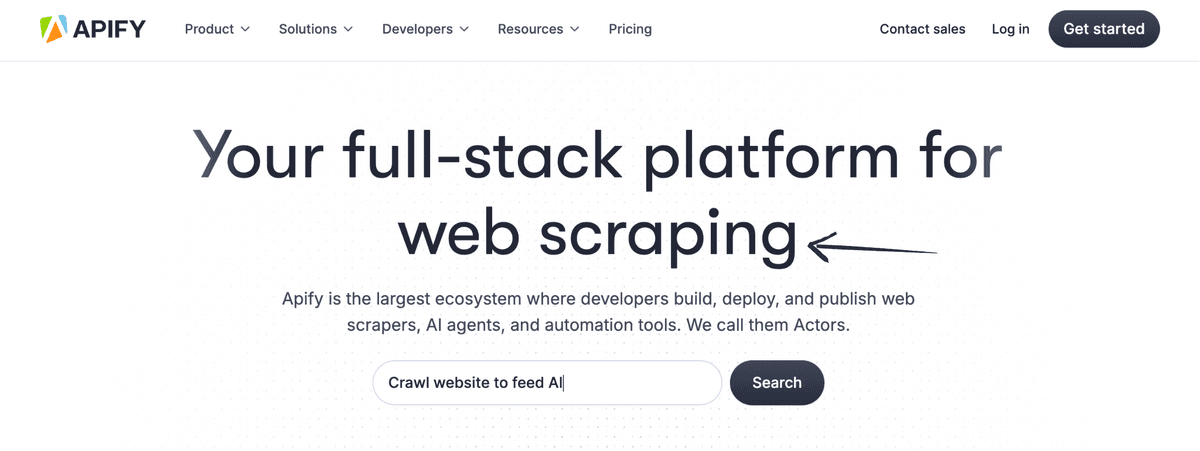
Apify is a full-service platform.
It features a vast library of pre-built "actors" that can scrape data from numerous sites, including social media.
It's great for both developers and people with no coding skills.
Key Benefits
- A wide range of pre-built scraping tools (actors)
- Scalable cloud platform for running tasks
- APIs for custom integrations
- Options for building your actors
Pricing
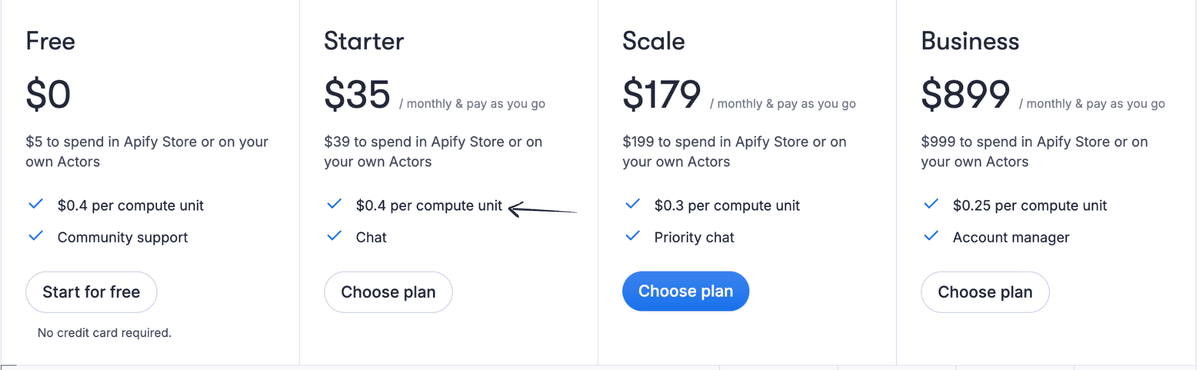
Apify combines platform plans with usage-based compute. Estimate Actor runtime, storage, proxies, and dataset transfer against the current pricing calculator.
Pros & Cons
For managed Actors and cloud execution:
Pros:
- Huge selection of ready-made tools
- Very scalable cloud infrastructure
- Good for developers with its APIs
- The free tier is great for trying things out Cons:
- It can be a little bit complex sometimes
- Costs can add up with heavy usage
- The quality of actors can vary
Rating
8.5/10
Apify is a powerful and flexible platform with a lot to offer, especially for developers and those with more complex needs. However, the sheer number of options and the usage-based pricing might be a bit daunting for beginners.
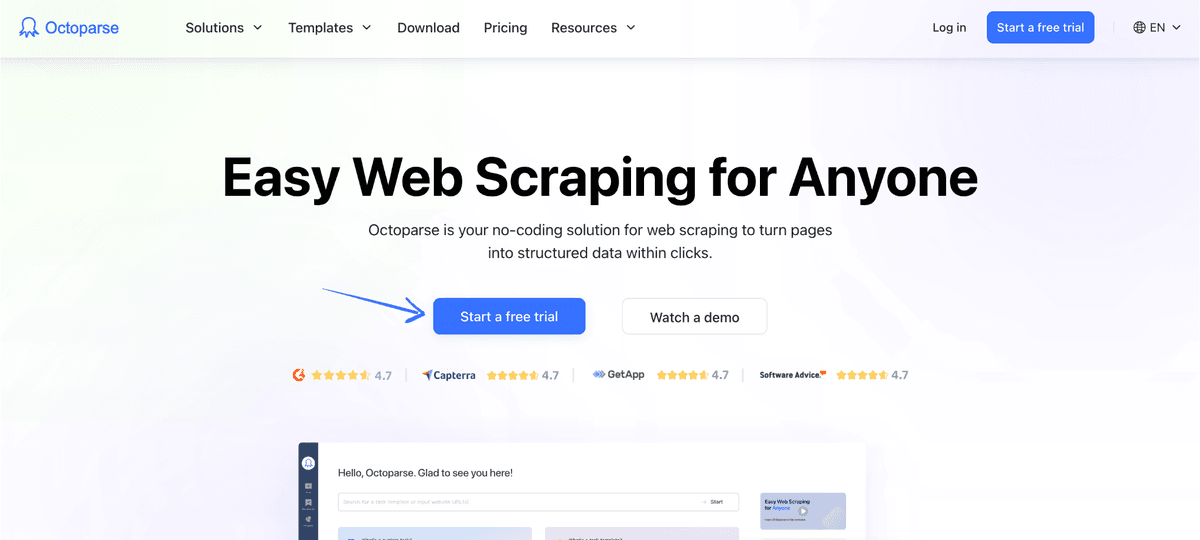
3. Octoparse
This tool is a visual web scraper.
You can click on the data you want, and it builds a workflow for you.
It's a great choice for non-coders who want to collect data without writing any code.
Key Benefits
- Visual point-and-click interface
- Cloud-based scraping capabilities
- Scheduled scraping and automation
- Ability to handle complex websites
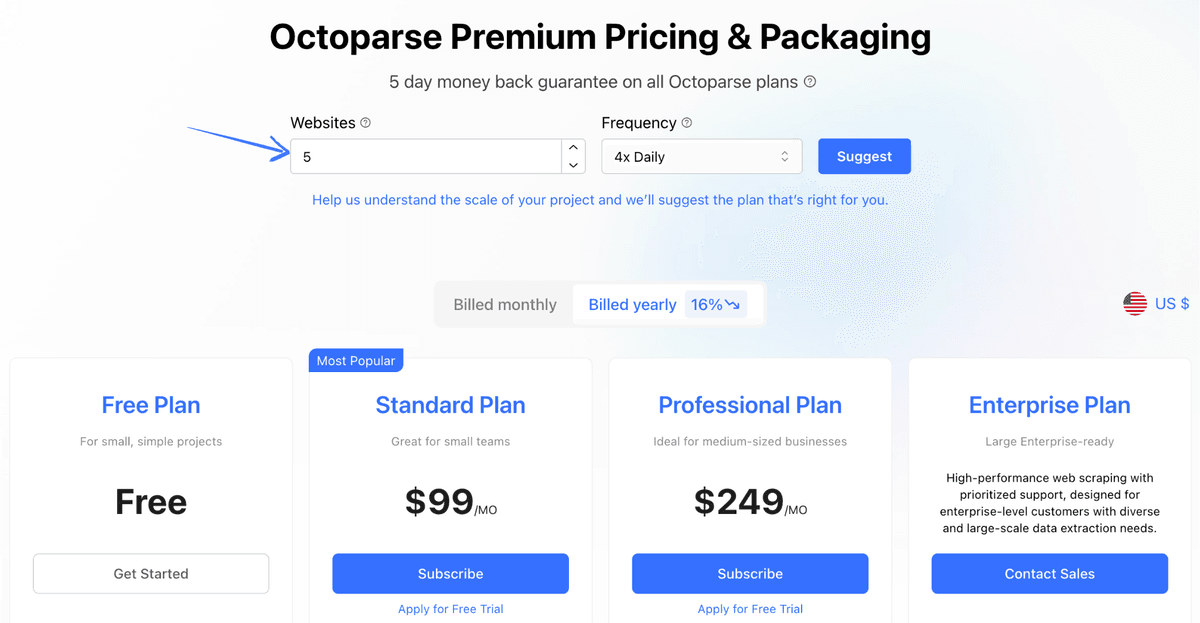
Pricing
Octoparse offers free and paid tiers with different cloud-run, export, scheduling, and collaboration limits. Verify the current tier limits for the intended run frequency.
Pros & Cons
For a visual desktop workflow:
Pros:
- Very user-friendly interface
- Great for non-coders like me
- Cloud scraping is super handy
- Scheduling is a big time-saver Cons:
- It can get pricey for teams
- Cloud server limits exist
- Sometimes struggles with very dynamic sites
Rating
7/10
Octoparse is fantastic for people who don't want to code, and the cloud features are a real plus. However, the cost for teams can add up, and it's not always perfect with super complex websites. The lack of a specific warranty is also a minor drawback.
4. ScrapingBee
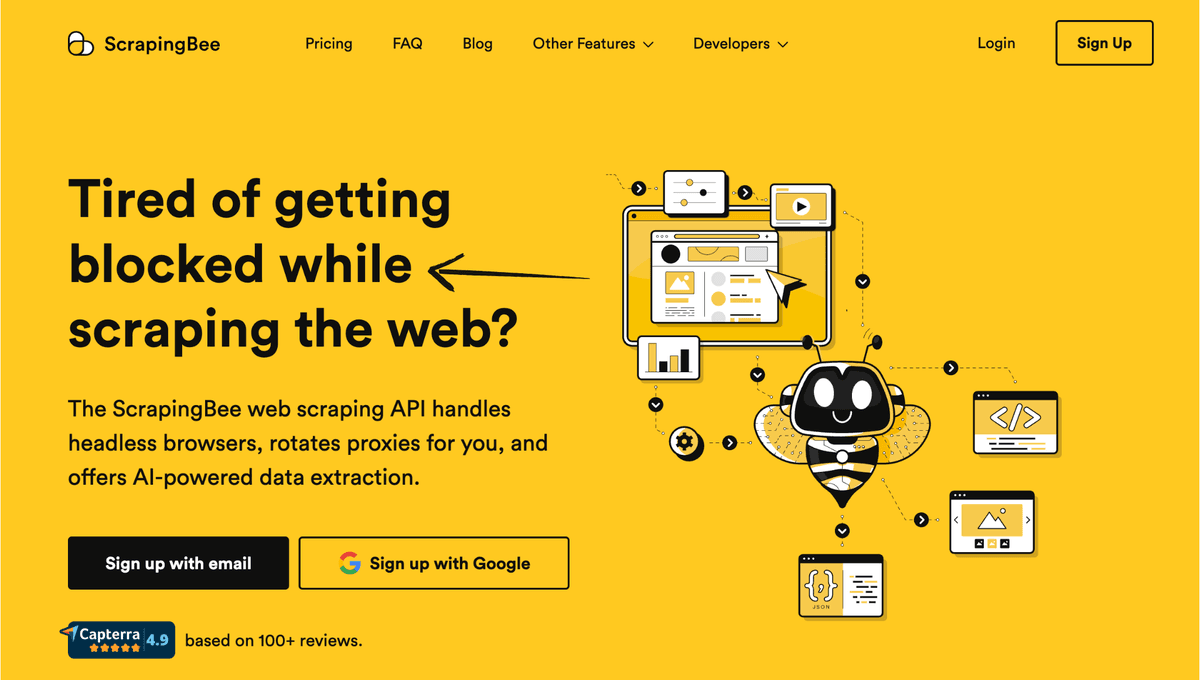
ScrapingBee is an API that handles the tricky parts of scraping.
It takes care of proxies and bypasses anti-bot measures.
This makes it super easy to get clean data from any website.
Key Benefits
- Handling of proxies and CAPTCHAs
- JavaScript rendering for dynamic sites
- Simple API for easy integration
- Geolocation targeting for specific data
Pricing
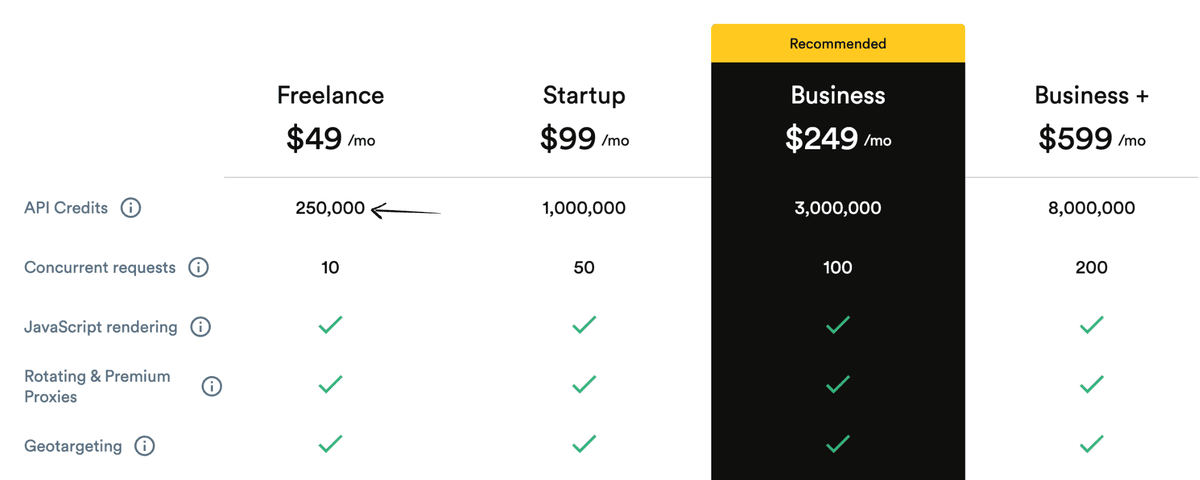
ScrapingBee prices requests through credits, with JavaScript rendering and premium proxy options consuming more capacity. Model the required rendering and geolocation settings before choosing a plan.
Pros & Cons
For an API-first fetching workflow:
Pros:
- Great at avoiding blocks and captchas
- Handles JavaScript websites well
- Simple API is easy to use
- Good for reliable data delivery Cons:
- Less control over the scraping process
- It can become costly for large volumes
- Fewer visual tools for non-coders
Rating
8/10
ScrapingBee is well known for its fast scraping. If you're tired of getting blocked while scraping, this service is excellent. It handles the technical headaches for you. However, it can get expensive for large-scale needs, and you have less direct control over the scraping logic.
5. Browse AI
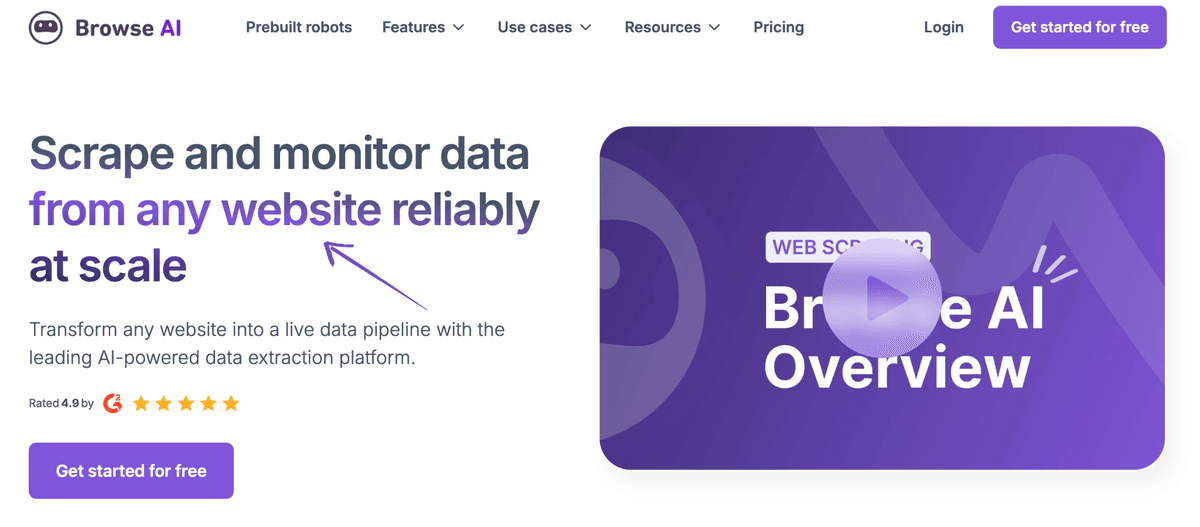
Browse AI is a no-code web scraping tool.
You can easily train a "robot" to extract data from a website simply by instructing it on what to do.
It also monitors sites for changes and sends you alerts.
Key Benefits
- No-code, visual data extraction
- Ability to monitor website changes
- Integration with popular automation tools
- Pre-built robots for common use cases
Pricing
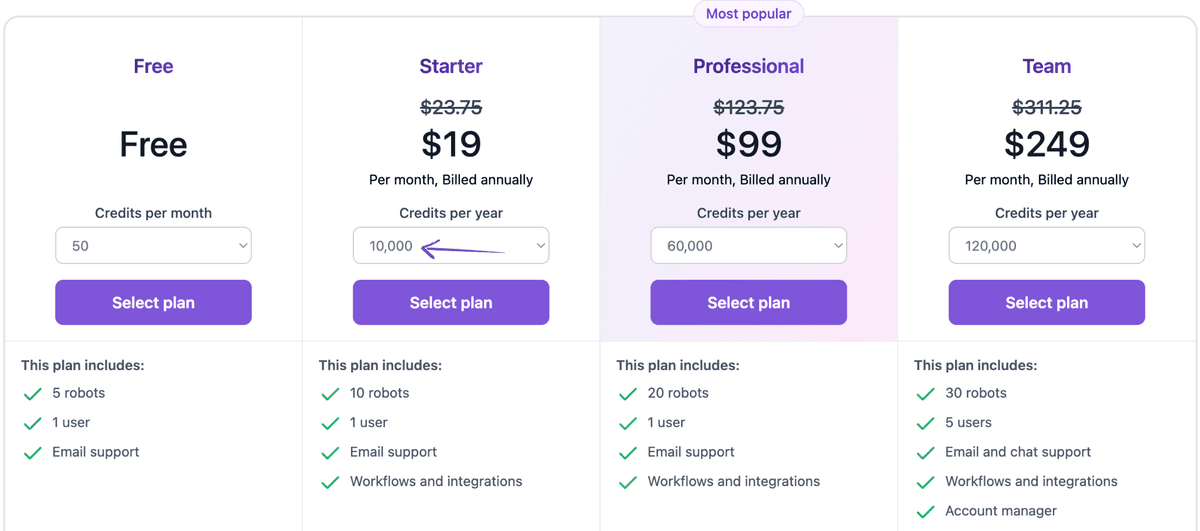
Its free and paid plans vary by credits, robots, monitoring frequency, and retention. Confirm Browse AI's current credit cost for the exact TikTok workflow.
Pros & Cons
For no-code monitoring and extraction:
Pros:
- Extremely easy to get started
- No coding knowledge needed at all
- Monitoring changes is a great feature
- Integrates with many other tools Cons:
- It can become expensive as you scale
- Might not handle very complex sites
- Relies heavily on visual recognition
Rating
7.5/10
The visual setup is accessible to non-technical users, and monitoring is useful for recurring checks. Costs can rise with volume, while intricate site behavior may require a more programmable tool.
6. Firecrawl
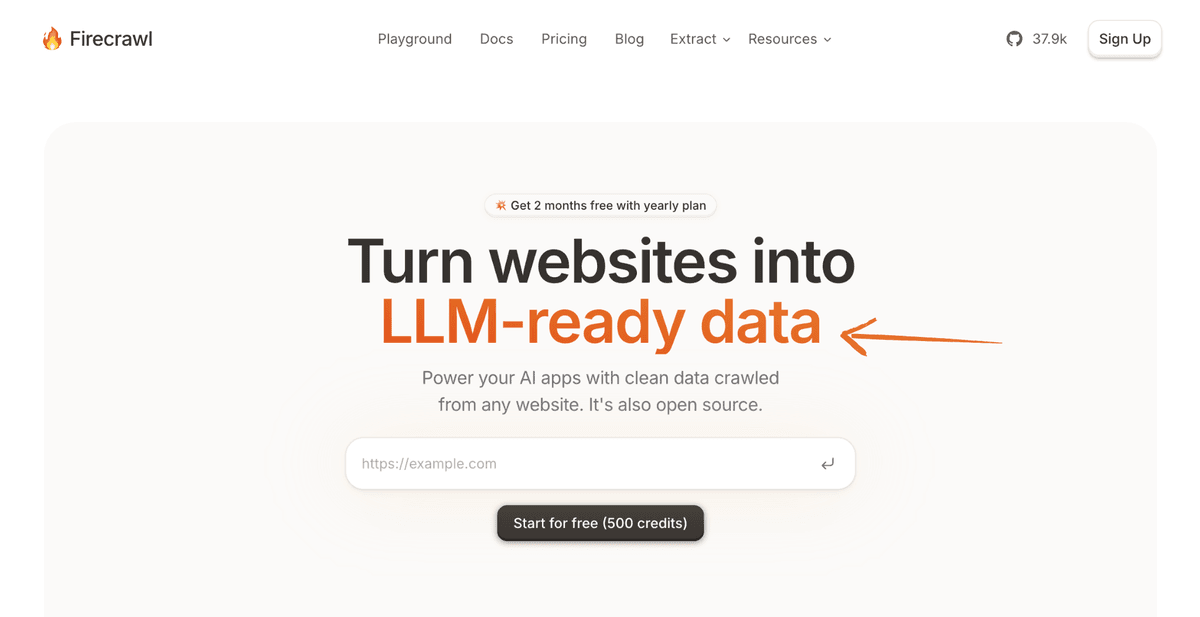
Firecrawl is an AI-powered web crawler.
It's built for large language models (LLMs) and AI applications.
It turns websites into clean, structured data like markdown or JSON, which is perfect for training AI.
Key Benefits
- High-performance crawling engine
- Real-time data delivery options
- Scalable architecture for large projects
- Integration with popular cloud platforms
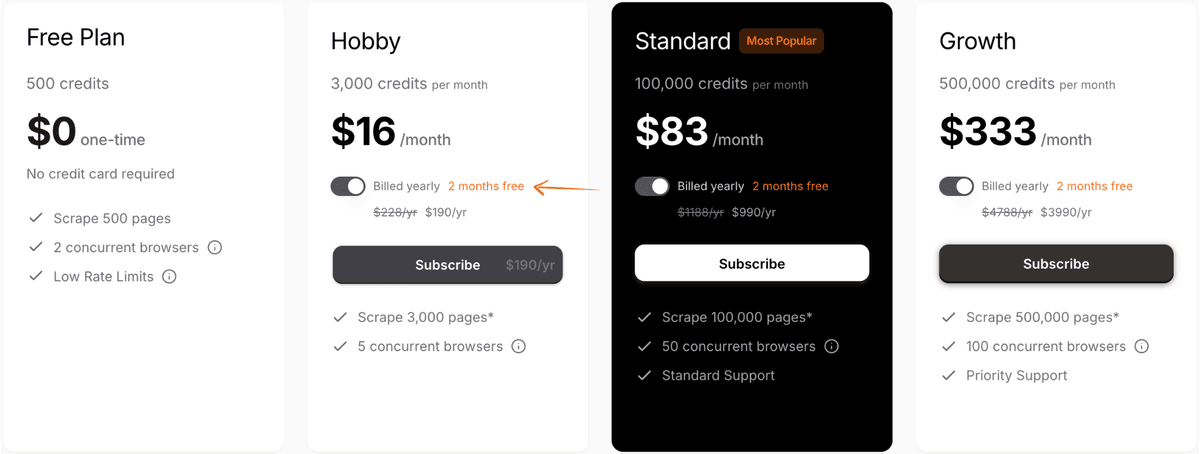
Pricing
Firecrawl offers credit-based plans for scraping, crawling, and extraction. Compare the current per-page credit rules with the number of TikTok pages and refresh frequency required.
Pros & Cons
For crawler-oriented developer projects:
Pros:
- Incredibly fast for big jobs
- Designed for large-scale scraping
- Real-time data is very useful
- Integrates well with cloud services Cons:
- It might be overkill for small tasks
- Pricing can be less transparent upfront
- Possibly requires more technical knowledge
Rating
7/10
Firecrawl is a strong contender if you need to scrape massive amounts of data quickly. However, it might be too much for smaller projects, and getting clear pricing information can take an extra step.
7. ScrapeStorm
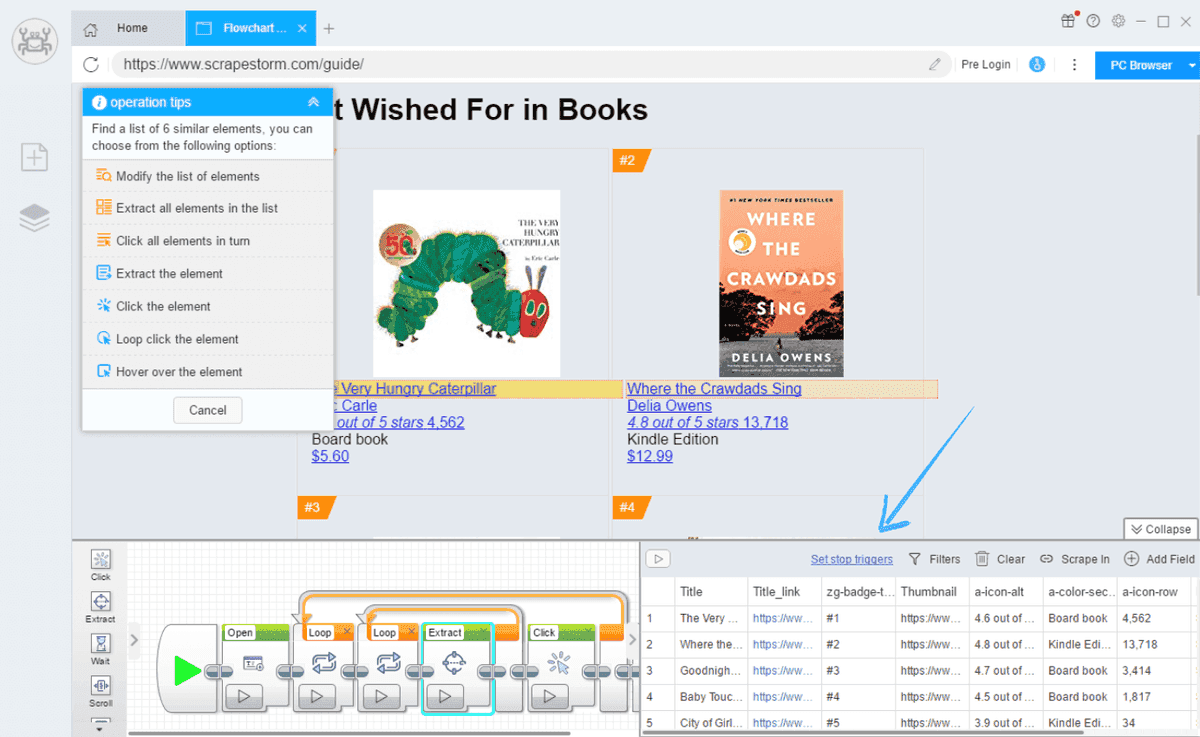
ScrapeStorm is a smart desktop application.
It uses AI to figure out what data to scrape on its own.
You just put in the URL, and it intelligently identifies content and pagination for you.
Key Benefits
- Fully automated scraping process
- Intelligent pattern recognition
- Support for various data export formats
- Ability to handle complex website structures
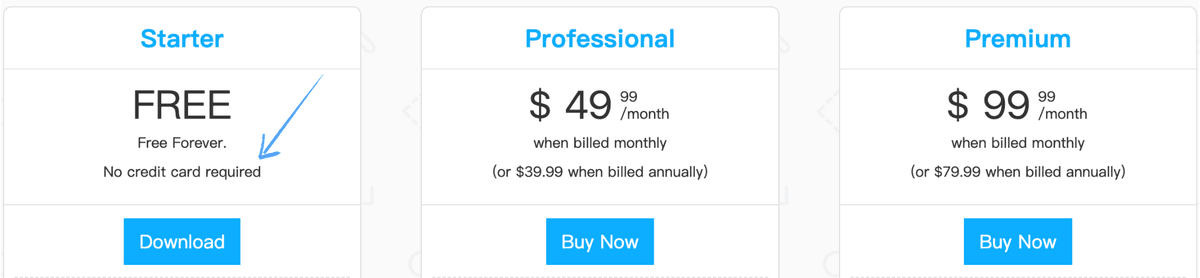
Pricing
ScrapeStorm offers free and paid desktop plans with different task, export, and automation limits. Check the vendor's current plan table before purchase.
Pros & Cons
For automated desktop extraction:
Pros:
- Automation is really impressive
- It handles complex sites well
- Lots of tasks on the basic plan
- Good for users with less experience Cons:
- Less control over specific details
- Advanced customization can be tricky
- The interface might feel different initially
Rating
6.5/10
ScrapeStorm's automation is a big plus, especially if you're dealing with many different websites. It's also quite capable of complex structures. However, the trade-off for automation is less fine-grained control, and the interface might take a little getting used to.
What to Look for When Choosing a TikTok Scraper?
- Ease of Use: Do you need a simple tool or something for a developer? Some scrapers require no code, while others are built for advanced users.
- Data Points: What kind of data do you need? Ensure the scraper can collect all relevant data, including video URLs, captions, follower counts, and hashtags.
- Cost: Pricing varies a lot. Check if the tool offers a trial or a flexible plan that fits your budget.
- Scalability: If you need to scrape large amounts of data, choose a tool that can handle the workload without getting blocked.
- Export Options: Can you get your data in the right format? Look for options like CSV, JSON, or Excel.
- Anti-Blocking Features: TikTok has tough anti-bot measures. The best scrapers have features like IP rotation and proxy management to avoid getting blocked.
How Can TikTok Scraper Boost Your Business?
TikTok data can support trend tracking, competitive research, creator discovery, and content analysis. A useful workflow starts with a defined schema, such as video URL, caption, publish date, engagement counts, creator identifier, and collection timestamp.
Profile and video records can then be compared across time or joined with an internal campaign dataset. Search and hashtag results add discovery context, but they should not be treated as a complete or stable sample of the platform.
Just remember to respect data protection regulations and only use public information.
A good scraper acts like a user agent to browse the video page and pull important video metadata.
It's much faster than using the official TikTok API for every task.
By looking at what other TikTok users are doing, you can find inspiration and grow your brand.
It makes data scraping simple and powerful.
Buyer's Guide
Use these factors to evaluate a shortlist:
- Data Points: We examined the useful data each scraper could extract. This included TikTok posts, video details, comment count, post ID, posts published, and video metadata. We also checked if they could perform a sentiment analysis on comments.
- Method: We evaluated how each tool conducted web scraping TikTok. Some use a headless browser to simulate a real user, while others rely on simple HTTP requests or an API response. We also checked the network tab for JavaScript and HTML to see how they got the content type and other data related to the videos. This is a great example of how different tools approach TikTok web scraping.
- Ease of Use: We considered the user experience. Could we easily get the maximum number of links and posts with a step-by-step guide? We tested different methods, from using a simple web app to writing code in a file. We also looked for a log to monitor progress.
- Features: We explored specific features, such as the ability to scrape public data from profile pages or to find top videos. We also checked for unique functionalities like AI-powered TikTok scraping. A key feature we looked for was a clear description of what the tool does and what it provides.
- Pricing & Support: We compared the costs and looked at the level of support. Was there a community, documentation, or a clear refund policy? This helps you access your data and load it in the right way. We also checked how each tool handles different HTTPS response codes and the date of the latest update.
Wrapping Up
Finding the right TikTok scraper can change how you do business.
This comparison covers seven tools available in 2026.
This includes no-code options like Octoparse.
It also includes powerful developer libraries like ScrapeGraphAI. Each one has its own strengths.
The goal is to save time. You also get a deeper understanding of what works on TikTok.
Using one of these scrapers can help you get the data you need.
Use a small representative test set before committing to a plan. Check missing fields, duplicate records, request failures, export consistency, and the effort required to keep the workflow running.
Choose the tool that fits your needs. Start getting the insights you've been missing.
Frequently Asked Questions
Is it legal to scrape TikTok?
Scraping public data is generally considered legal, but it's a gray area. Always check TikTok's Terms of Service and data protection laws like GDPR to stay compliant and avoid legal issues.
What kind of data can a TikTok scraper collect?
A TikTok scraper can collect public information like user profiles, video URLs, captions, hashtags, and engagement metrics such as likes, shares, and comment counts.
Why do I get blocked when trying to scrape TikTok?
TikTok has strong anti-bot measures. They use things like IP tracking and rate limiting. The best scrapers use proxies and other anti-blocking features to avoid getting flagged.
How do I choose the best TikTok scraper for me?
Consider your needs. If you're new to coding, consider using a no-code tool with a simple visual interface. If you're a developer, choose a flexible API or library.
What is the difference between scraping and using the TikTok API?
Scraping extracts data directly from the website, while a TikTok API is an official way to access a limited amount of data. Scraping often gives you more flexibility and data points.
Related Articles
If you found this comparison helpful, you might also be interested in these related articles:
- 7 Best Instagram Scraper: Best Data Extraction Tools in 2025 - Explore the top Instagram scraping tools for social media data collection
- Traditional vs AI Scraping: Which One Wins in 2025? - Deep dive into the differences between traditional and AI-powered scraping approaches
- ScrapeGraphAI vs Extracta AI: AI Scraper Battle in 2025 - Compare ScrapeGraphAI with another leading AI scraping tool