


TL;DR
- Compare Amazon scrapers using the same ASIN, variation, seller and delivery location; those details determine which price you get.
- Evaluate ScrapingBee, Bright Data and Apify for packaged Amazon records, or ScrapeGraphAI when you need a custom extraction schema.
- Count complete, usable product or offer records when comparing costs. Request counts alone hide missing fields and failed inputs.
An Amazon scraper is useful only if its price refers to the product, variation, seller and delivery context you intend to compare. For standardized Amazon records, evaluate a dedicated product or pricing API. Use a general extraction service when the required source is accessible and a custom schema provides value beyond the packaged output.
This guide compares ScrapingBee, Bright Data, Apify and ScrapeGraphAI from their documented capabilities, with attention to product fields, billing units and validation. ScrapeGraphAI publishes the article.
Specify the offer you need
A single Amazon page can show a list price, a selected offer, a coupon, other sellers and several variations. A scraper returning the first currency amount may produce valid JSON and still answer the wrong question.
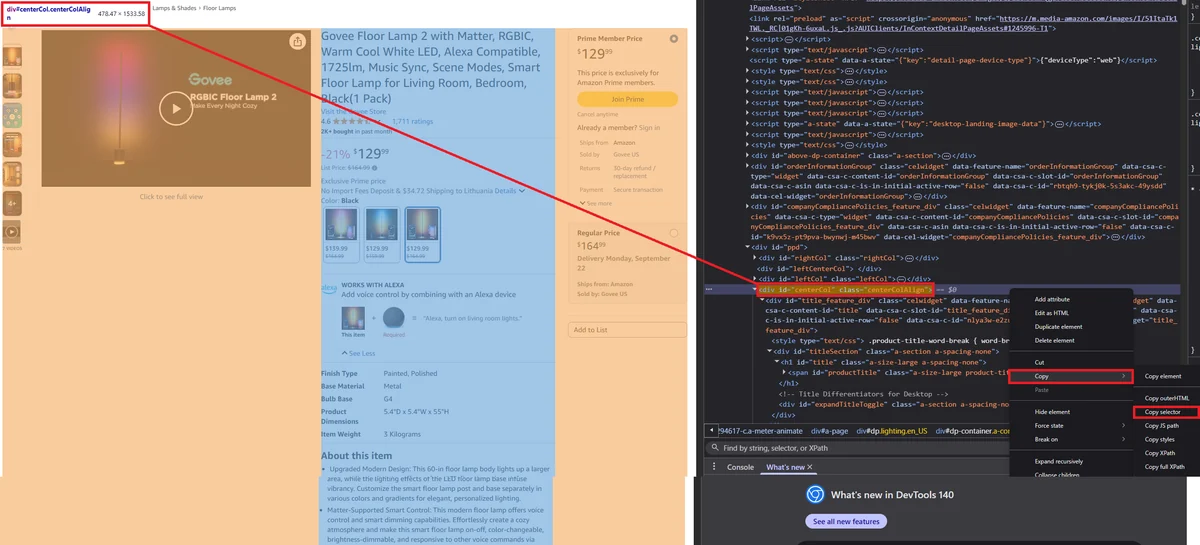 A product page can show several prices and variants at once. Source: ScrapingBee’s Amazon price-scraping guide.
For a monitoring project, define the observation before selecting the tool:
| Part of the record | Recommended contents | Validation question |
|---|---|---|
| Product | ASIN, title, selected variation | Does this row refer to the requested size, color or pack? |
| Market | Amazon domain, currency, delivery location | Are the compared offers available to the same destination? |
| Seller | Observed seller and fulfillment information | Did the seller change when the price changed? |
| Price | Current offer, shipping and separately labeled promotion | Does a coupon require an action or eligibility condition? |
| Availability | Visible state and delivery information | Is missing availability being mistaken for in stock? |
| Evidence | Source URL, observation time and relevant source text | Can someone check how the number was obtained? |
Keep values nullable when the source does not supply them. A missing price is not a free product. A price range is not the price of every variation. Treat a coupon as separate evidence until the application can determine that it applies to the intended purchase.
Amazon-specific collection options
ScrapingBee: separate search, product and pricing operations
ScrapingBee's Amazon API documents separate operations for search results, product details and pricing. Its product parameters include the Amazon domain, currency, language, country and postal code, as well as optional HTML and screenshots.
Separate product and pricing operations let you inspect descriptive attributes and seller offers independently. Check both outputs against the intended market before deciding whether your pipeline needs one operation or both.
Inspect the response with your chosen options and verify their billing before forecasting cost. The existence of a postal-code parameter is not evidence that every offer is delivered to that destination; inspect the returned delivery information too.
Bright Data: product, seller, search and review collectors
Bright Data's Amazon catalog describes product attributes, sellers, variants, availability and prices, with separate collectors for several record types. Its advertised allowance is 5,000 free records per month, with a $1.50 per 1,000-record pay-as-you-go rate.
Choose the exact collector before comparing its output. Product records, search results and reviews have different identities and completeness requirements. The catalog's sample inputs include postal-code context for product collection, which should remain fixed when you compare offers over time.
For a scheduled pipeline, request a small sample from the intended collector and inspect missing fields, duplicate ASINs and observation timestamps. A dataset purchased for analysis may have different freshness from an on-demand extraction.
Apify Amazon Product Scraper: packaged URL collection
The Junglee Amazon Product Scraper maintained by Apify accepts product and subcategory URLs and returns structured product information. Its advertised pricing starts at $3 per 1,000 results.
The documentation also acknowledges that attainable result counts vary with inputs, location and source limits. This is relevant when the task is discovery: a maximum-items setting does not prove that all products in a category were available or collected.
Use a specific Actor ID and inspect its current input, pricing and issue history. An Apify platform subscription does not make every Amazon Actor equivalent, and a product collector should not be assumed to include a complete review archive.
ScrapeGraphAI: custom records from accessible content
Extract lets a developer request a schema from a URL or supplied content. A custom record can preserve the source passage beside a normalized field, which helps review ambiguous promotions or product descriptions.
Define the record around the fields your application uses. For product content collected through your chosen source, keep the ASIN, variation and seller context beside the extracted price. Check each amount against its label so a list price, coupon and selected offer stay distinct.
The product extraction example uses a Books to Scrape product page to demonstrate identifier and money-field checks before saving JSON. Use those checks as a starting point for your own product schema, then add the fields that identify the offer you are tracking.
Avoid a misleading price history
Use a stable observation key that includes the product and the context that can change the offer. Depending on the application, that may include ASIN, marketplace, selected variation, delivery location and seller. Keep the observation timestamp as a separate dimension.
A changed seller can explain a changed offer without any repricing by the original merchant. An unavailable variation can explain a missing amount without a collection failure. Distinguish those outcomes before sending alerts.
Do not infer a price change by comparing a current amount with a previous null. Record the transition as “price became available” or “price unavailable.” If the business needs a percentage change, require two comparable valid prices and show the assumptions used to match them.
Validate the difficult cases in a pilot
Choose a small set that includes an ordinary product, a variation family, a product with multiple sellers, a promotion and an unavailable item. Use the same delivery context and inspect the source close to the collection time.
For each result, verify the requested ASIN, selected variation, currency and price meaning. Check whether an advertised review count is being confused with the number of review records actually returned. Review collection needs its own pagination and cutoff evidence.
Record unsuccessful inputs as failures or unavailable sources. Excluding them from the denominator makes a tool appear more reliable than the workload it actually completed. If you report accuracy, state the checked fields, sample size, test date and review method.
For analysis, collect only the data needed for the approved purpose and confirm the applicable source and provider conditions. See the legal overview for the issues to distinguish; public visibility alone is not a blanket reuse permission.
Compare price scraping tools by usable observations
If you are choosing price crawler software for several retailers, compare each source separately. The eBay tool guide covers auction and condition differences; the Amazon checks here focus on ASINs, offers and delivery context. A shared output format does not make those records interchangeable.
An illustrative list of 200 ASINs refreshed twice a day for 30 days produces 12,000 product observations. Looking up additional sellers, variations or reviews can add substantial work beyond those 12,000 inputs.
At a hypothetical $2 per 1,000 billed product records, the base record charge would be $24. That is an arithmetic example, not a quote for any vendor above. Apply the actual selected event rates, plan minimums, enabled options and allowances before choosing a provider.
Add the time spent reviewing ambiguous offers and repairing missing records. The scraping cost calculator includes those costs. Compare the first scheduled run with the pilot forecast. A jump in separately collected offers or reviews should be visible before it becomes a month of unexpected charges.